Product Accessories for PrestaShop: Add-ons by Combination
For shops selling things that are bought in pairs: the case with the phone, the ink with the printer, the mounting kit…
- PS 1.7.5+
- PS 8
- PS 9
Got a question before you buy? Tell us about your shop and we'll reply within 24 hours.
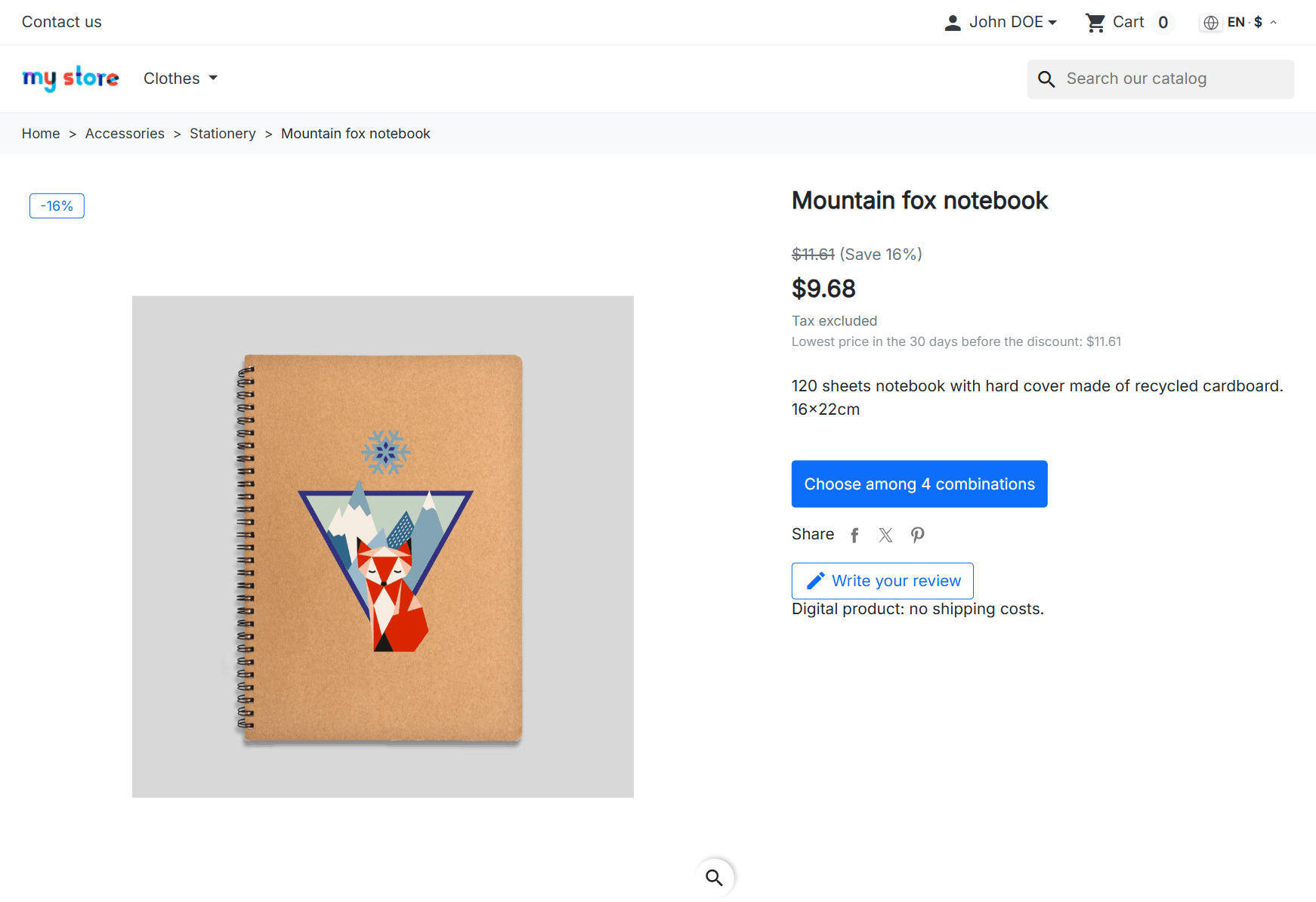
Ask usWhen you put a product on sale, your customer sees the crossed-out price and, next to it, one more line: the lowest price that product has had in the last 30 days. That is what the law requires across the European Union every time you announce a price reduction. PrestaShop doesn't include it, and it doesn't keep past prices to work it out either.

Your jacket normally costs €49.99. Two weeks ago you had it at €39.99 for a few days. Today you reduce it to €29.99. PrestaShop announces “−40%” and a saving of €20, both worked out from the €49.99. With the module, your customer reads “Lowest price in the 30 days before the discount: €39.99”, and the discount and the saving come from that figure: −25% and €10. That is the calculation the EU Court of Justice asks for.
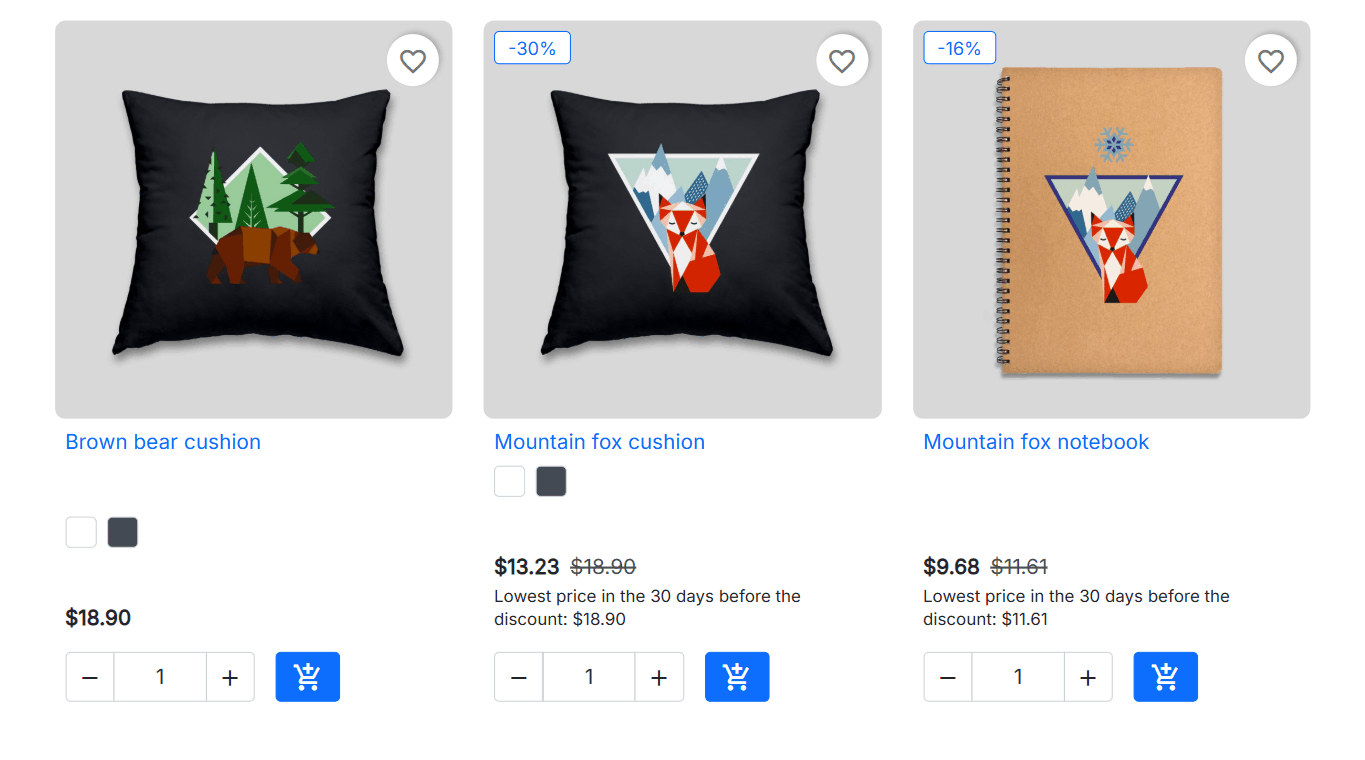
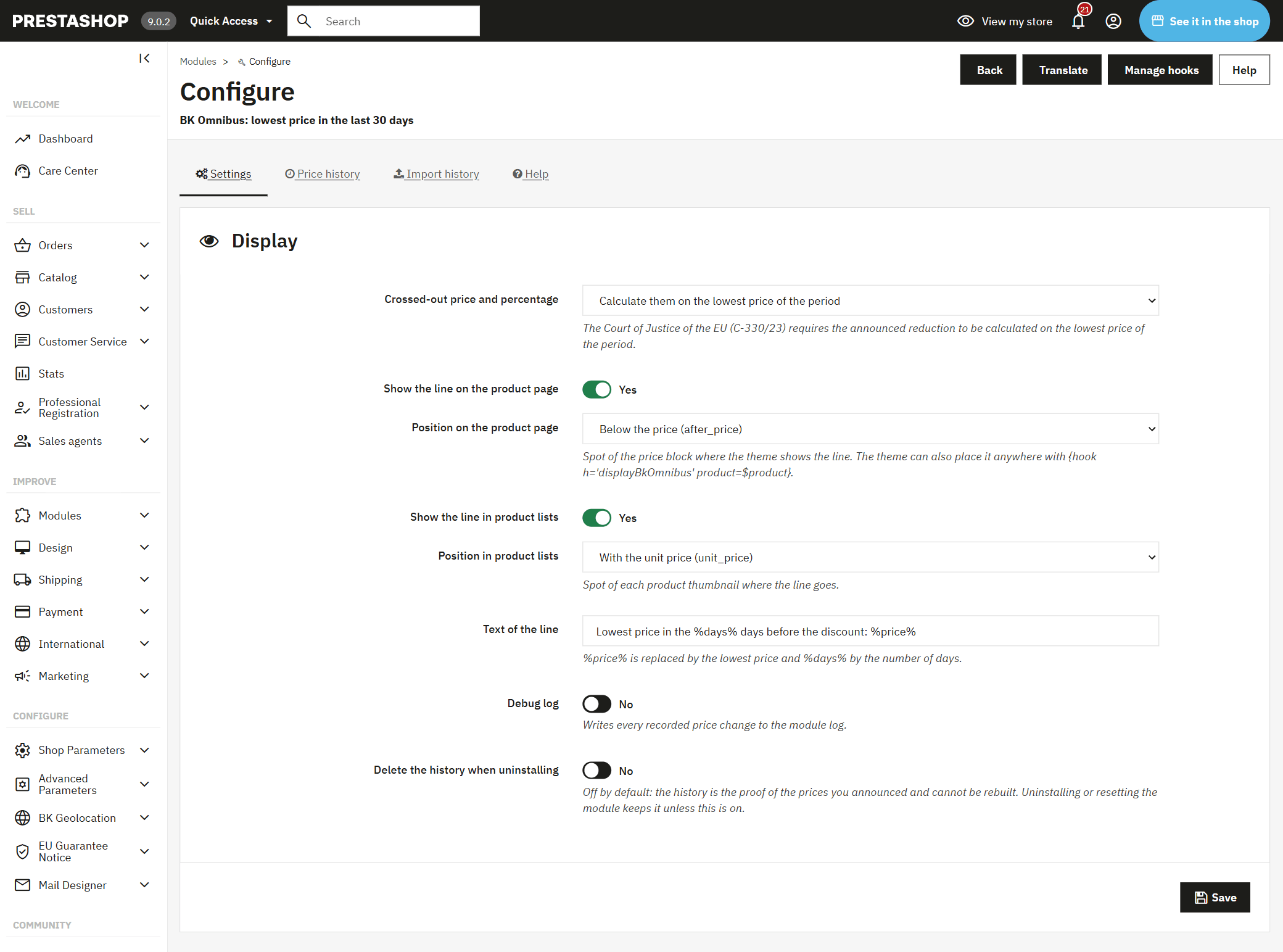
The line appears wherever your customer sees the reduced price: on the product page and in category and search listings. If the product has combinations, each size or colour has its own lowest price, because each one may have had a different price. You choose where in the price block it goes, on the product page and in listings, and if your theme is custom-made, your developer can place it anywhere with a single line in the template.

In September 2024 the EU Court of Justice made it clear in the Aldi Süd case (C-330/23): the percentage and the saving you announce are calculated from the lowest price of the last 30 days, not from your usual price. PrestaShop calculates the “−X%” from the price before the reduction, and many Omnibus modules just add the lowest-price line underneath. Your shop then shows the right figure and, next to it, a percentage the law doesn't allow.
The module recalculates the “−X%” and the saving from the 30-day lowest price, on the product page and in listings. What your customer reads on the discount badge and what they read in the lowest-price line say the same thing.
To know what the lowest price was, someone has to have written it down. The module keeps its own history: per product, per combination, per shop and per currency. It records each price change by itself, and a scheduled sale is recorded at the exact time it starts or ends, with no scheduled tasks (cron) to set up on your hosting.
The module takes your shop's prices on that day as its starting point. If you already have sales running with a start date, it also records the price they had just before they began, taken from your own shop. What it doesn't know, it doesn't make up: a reduction whose previous price it doesn't know isn't announced (no crossed-out price, no percentage, no sale badge) until you import your history.
Every change is recorded with its date, and the lowest price is always worked out over the 30 days before the reduction. Sales you schedule with dates are recorded at their exact time, even if you don't open the back office that day.
Each shop keeps its own history. If your złoty prices are converted from euros, the lowest złoty price is rebuilt with each day's exchange rate; if you give a product its own złoty prices, those keep their own history.
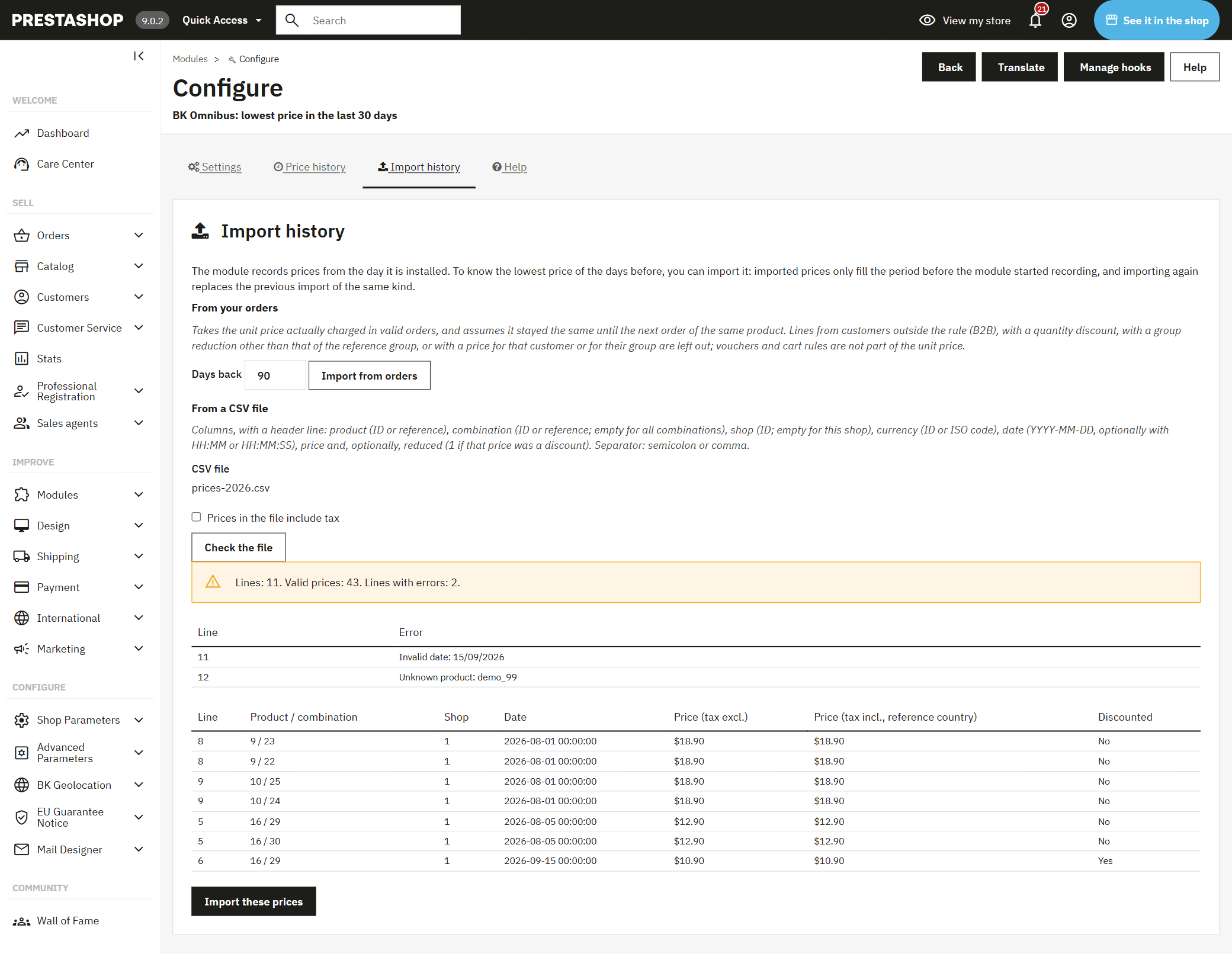
Installing it with a campaign just around the corner? No need to wait 30 days: import your earlier prices and the module uses them for the time before its own history, without ever overwriting what it has recorded.

It takes the price you actually charged in each order over the days you choose, and treats it as valid until the next order of that product. It leaves out what wasn't the price for everyone: business customers, quantity discounts and prices agreed with a single customer.
If your earlier prices live in your ERP or a spreadsheet, upload them in a CSV by product, combination, shop and currency, with or without tax. Before importing, you see a preview with the errors on each line.
Importing again replaces the previous import of the same kind. What the module has recorded on its own is never touched.
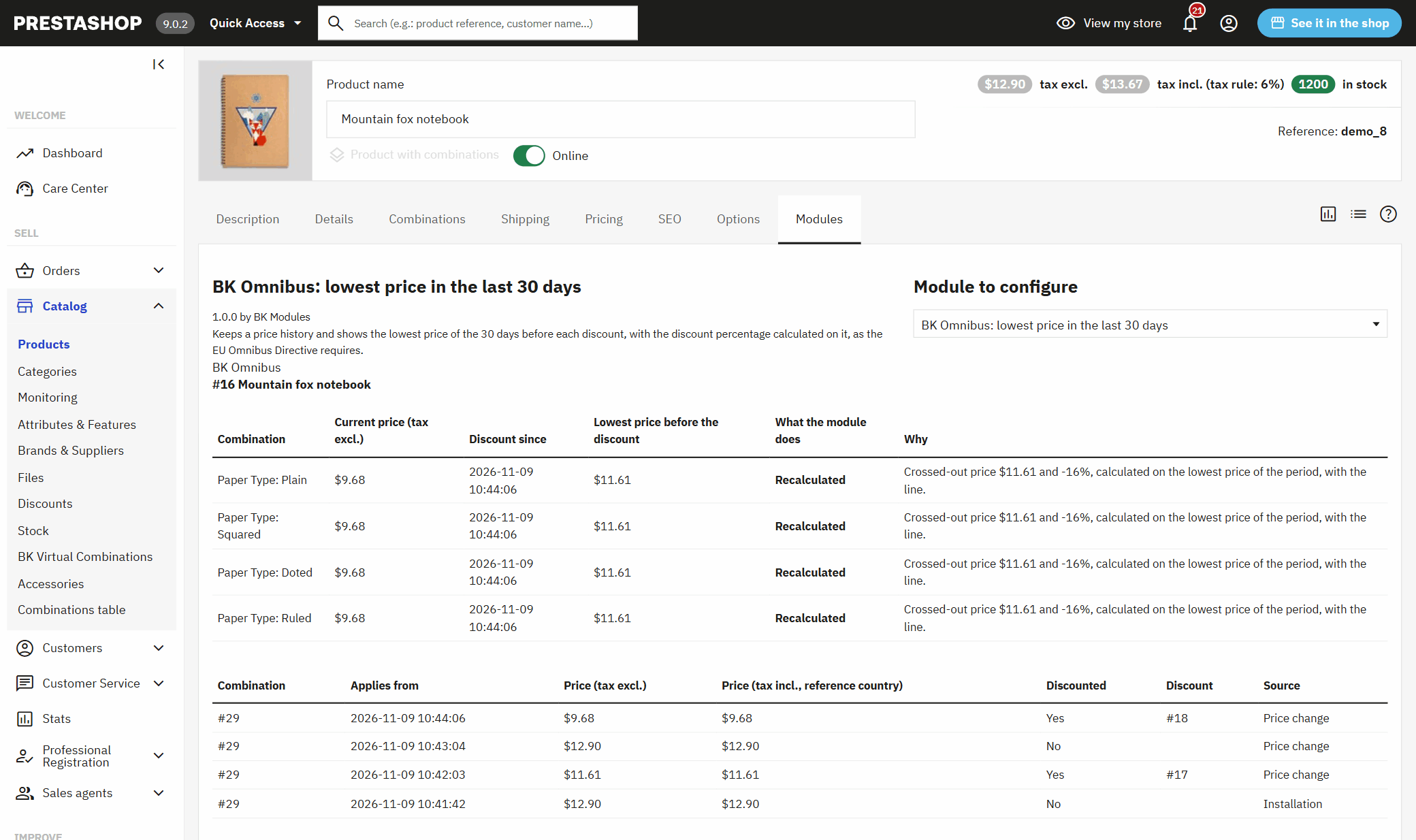
If someone asks you why a product shows that previous price, or why a reduction has no percentage, the answer is in your back office.

A module tab on each product's page in the back office tells you, combination by combination, today's price, since when it has been reduced, the previous price, what the module does with that reduction and why, along with the price changes behind it.
The module's screen checks that your theme has the spot where the line goes, warns you if a full-page cache could serve an old price, and counts the reductions with no known previous price so you can import them.
If you uninstall or reset the module, the history stays: it is the proof of the prices you announced. It is only deleted if you tick the box that asks for it.
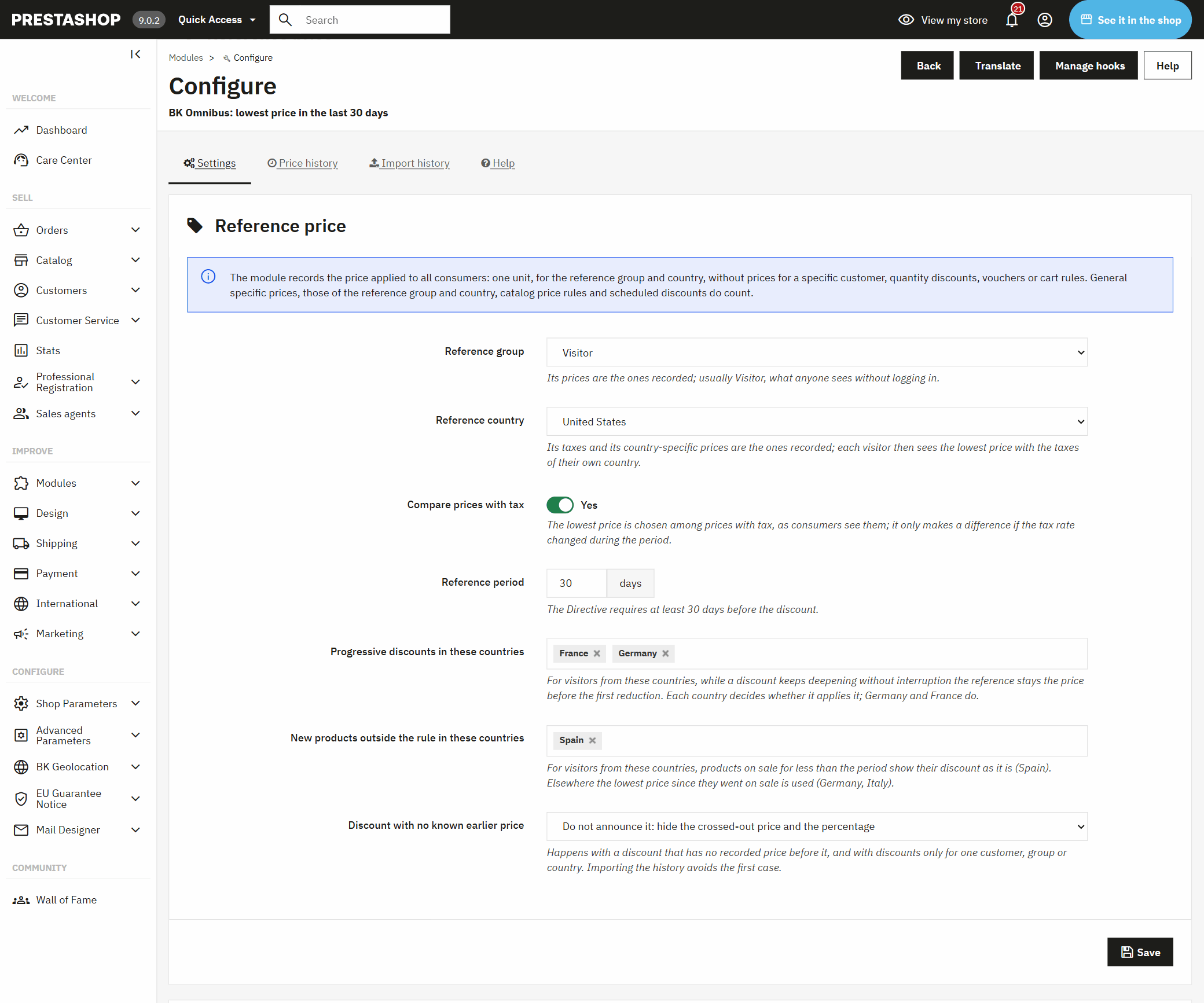
The directive lets each country decide a few cases, and they haven't all decided the same. The module lets you set them for each country you sell to. They apply by your visitor's country, taken from our Geolocation for PrestaShop: Prices, Currency & Language by Country module if you have it, or from the country your shop detects.

If you lower the price in steps during a campaign, where the law allows it the reference is the price before the first step. It comes switched on for Germany and France.
A product that has been on sale for less than 30 days doesn't have 30 days of history. By default, in Spain its reduction is shown as it is; in other countries, the lowest price is counted from the day it went on sale. You can change both lists of countries.
The rule protects consumers. If you also sell to businesses, exclude their customer groups and they won't see the line.
Article 6a of Directive 98/6/EC, added by Directive (EU) 2019/2161, the one everybody calls Omnibus, has applied since 28 May 2022: every time you announce a price reduction, you must show the prior price, which is the lowest price you applied in the previous 30 days.
In Spain, the consumer affairs ministry imposed €350,000 in fines in total on seven online shops over their Black Friday 2023 sales, and the High Court of Justice of Madrid upheld them in October 2025. In Poland, the consumer authority (UOKiK) fined Zalando 30.9 million złoty in January 2026, in a decision that can still be appealed.
Where each country's law says it
Almost every Omnibus module shows a line with a price. What separates one that gets the numbers right from one that only looks like it does is in these questions: ask them of any module before you buy.
| Question | This module | Why it matters |
|---|---|---|
| Does it calculate the “−X%” from the 30-day lowest price? | Yes | That is what the Aldi Süd ruling requires. A percentage based on the usual price is still a badly announced reduction, even with the lowest-price line underneath. |
| Does it keep the lowest price of each combination? | Yes | Size M and size XL may have had different prices. |
| Does it keep shops and currencies apart? | Yes | The lowest price in euros says nothing about the price in złoty or koruna. |
| Does it need a scheduled task? | No | If the cron stops running, the lowest price goes stale and nobody notices. |
| What does it do with prices from before it was installed? | Imports them from your orders or a CSV | A module that fills in 30 days backwards with no data is guessing prices it doesn't know. |
| And if it doesn't know a reduction's previous price? | It doesn't announce it | A crossed-out price or a percentage with no previous price behind it is exactly what the rule doesn't allow. |
| Does it work on my PrestaShop? | 1.6.1 to 9.x | Many shops that run sales are still on 1.6 or 1.7. |
It is Directive (EU) 2019/2161, which added a rule on price reductions to the EU price indication rules: when you announce a price reduction, you must show the lowest price you applied in the previous 30 days. It has applied across the EU since 28 May 2022.
PrestaShop doesn't keep a price history, so you need a module that records it and shows it next to the reduced price. This one does it on the product page and in listings, per combination, shop and currency, from the day you install it.
From the lowest price of the last 30 days. The EU Court of Justice said so in the Aldi Süd case (C-330/23, September 2024): a “−30%” based on the usual price isn't valid if the product was already cheaper in the last month. The module recalculates the percentage and the saving from that lowest price.
No. The obligation starts when you announce a reduction: a crossed-out price, a percentage or “was” and “now”. If you just change a price without announcing it, there is nothing to show, and the module shows nothing.
Not if you only sell to businesses: the rule protects consumers. If you sell to both in the same shop, exclude your business customer groups in the module and only consumers will see the line.
The module starts with your shop's prices on that day and doesn't make up earlier ones. So you don't have to wait 30 days, import them: from your orders, with the price you actually charged, or from a CSV with your prices. What you import only fills the time before the module's own history.
Some countries allow the reference for a growing reduction to be the price before the first step. The module lets you switch this on in the countries where it is allowed, and it comes on for Germany and France.
No. Every price change is recorded by itself, and the sales you schedule with dates are recorded at the exact time they start or end. If your shop goes days without visits, there is an optional cron URL so nothing falls behind.
Yes. It works from PrestaShop 1.6.1 to 9.x and is tested on 1.6.1, 1.7.5, 1.7.8, 8.1 and 9.0, with multistore and multiple currencies, on PHP 5.6 to 8.4.
By default, the reduction isn't announced: the product sells at the reduced price, but with no crossed-out price, no percentage and no sale badge. Once you import your order history or a CSV with your prices, the module knows the previous price and the reduction is announced with its lowest price.
It stays in your database, because it is the proof of the prices you announced. It is only deleted if you first tick the box to delete it on uninstall.

When you install it, the module records that day's prices, picks up the previous price of running sales that have a start date, and the line starts showing on your reduced products. No theme changes and no scheduled tasks to create.
Progressive reductions and new products under 30 days, switched on or off for each country you sell to.
Choose the customer groups that shouldn't see the line, such as your business accounts.
Apply it to the whole catalogue or only to some categories (with their subcategories), brands or products, and leave out the ones you want. The history is kept for everything, so widening it later loses nothing.
Choose where it goes on the product page and in listings, change its wording in each language, and decide whether the crossed-out price and the percentage are recalculated from the lowest price or hidden so only the line shows.

Got a question before you buy? Tell us about your shop and we'll reply within 24 hours.
Ask usA module, an app, a server that is giving you trouble or something urgent. We answer within 24 hours, with a fixed quote with a price and a date.