Product Images per Language for PrestaShop: a Cover in Each Language
For products whose box, label or manual changes with the language. Each customer only sees the images of their language…
- PS 1.7+
- PS 8
- PS 9
Colours in rows, sizes in columns: your customer types how many of each they want, sees the total and adds everything to the cart at once.
The PrestaShop product page is built for buying one size in one colour. A wholesale buyer needs something else.
Without the module
With the module
Real screens of the module in a PrestaShop 9 shop with the standard theme.
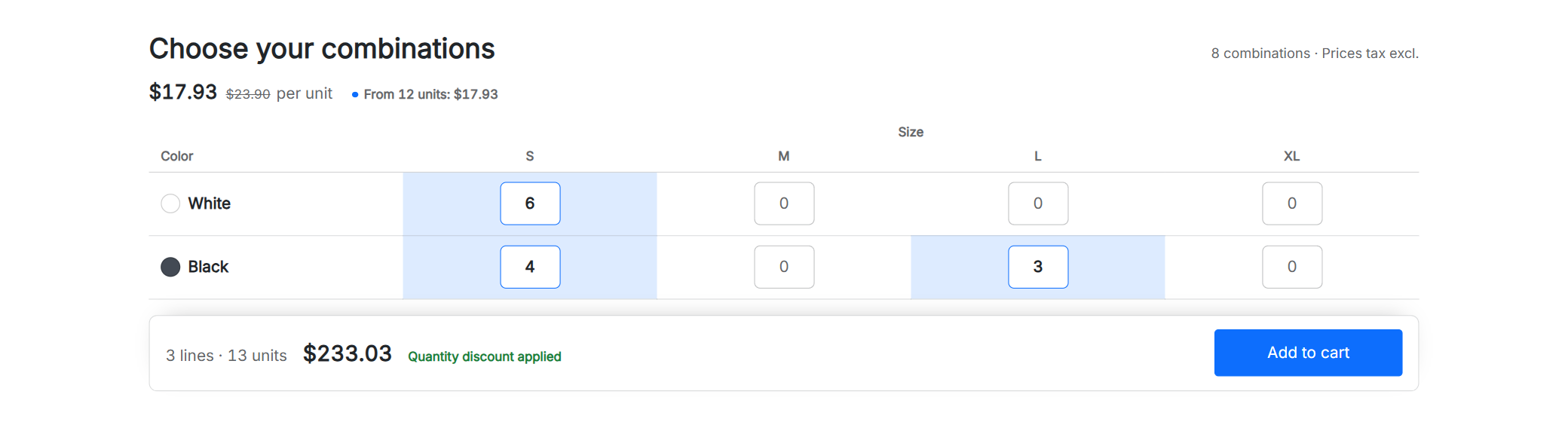
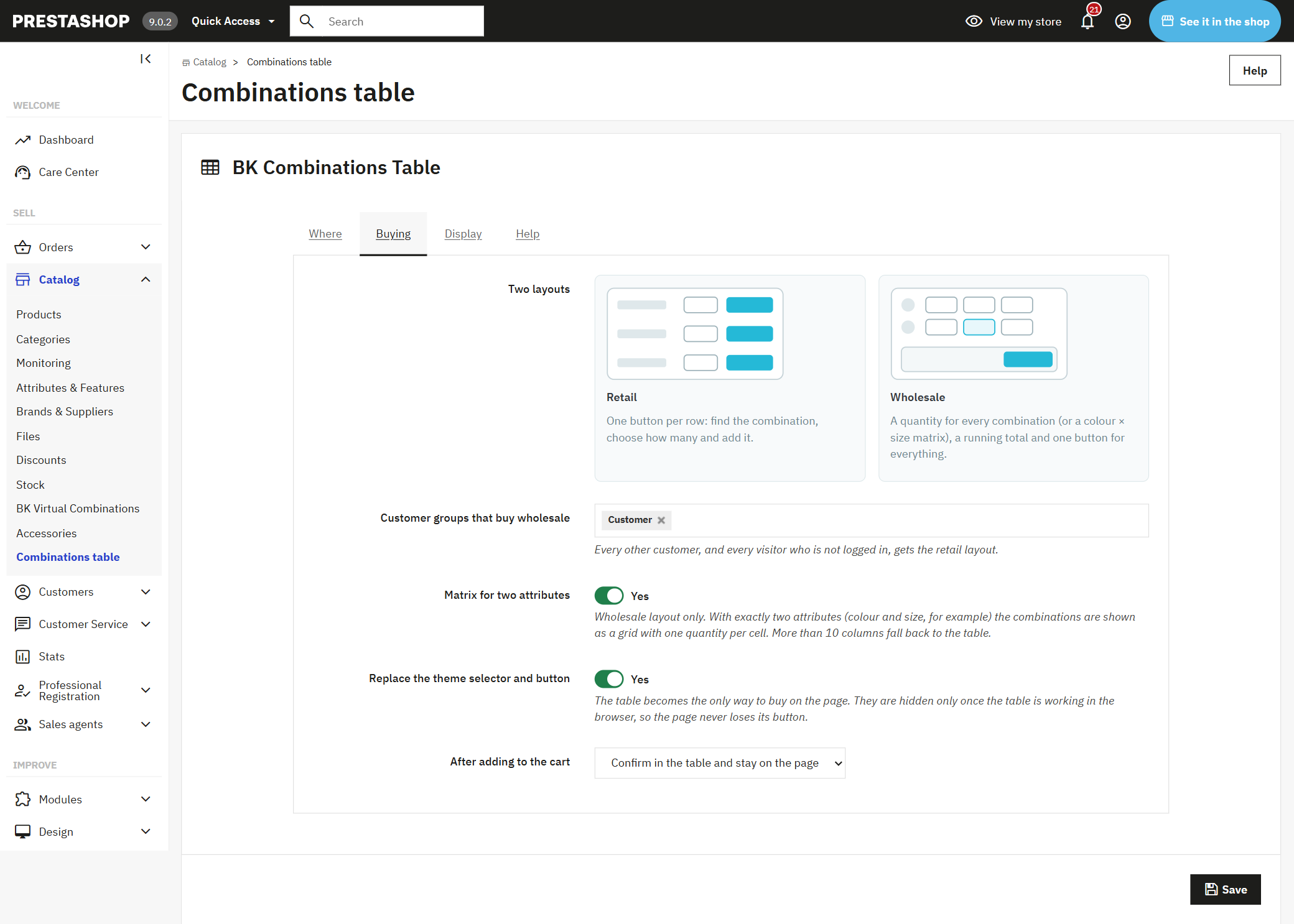
1. With two attributes, such as colour and size, the combinations appear in a matrix: one row per colour, one column per size and one box per combination. Below, the lines, the units and the total, with the quantity discount already applied.
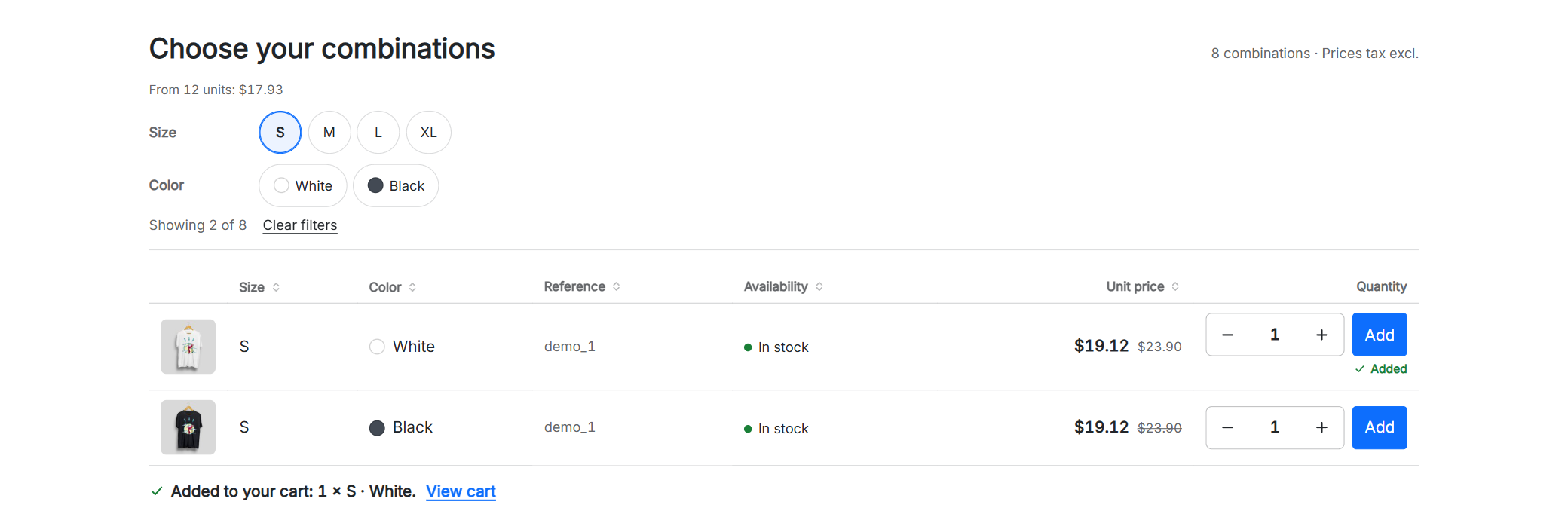
2. For those who buy one or two combinations, a table with their image, reference, availability and price, filters by attribute and a button on every row. When they add, the table says what went into the cart.
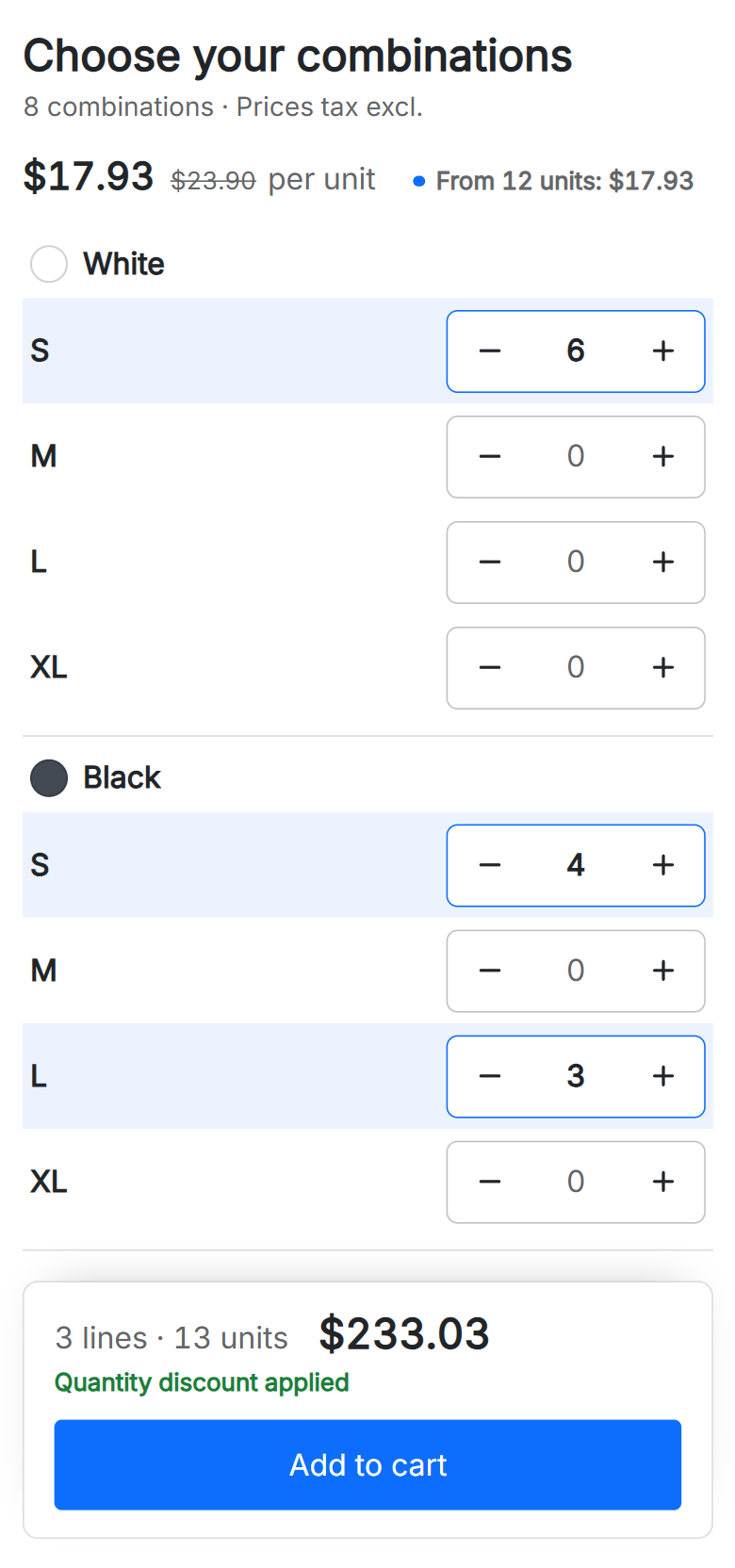
3. On a phone the matrix reads colour by colour, with a plus and minus button on every size. Nothing spills off the screen and the total bar stays at the bottom while they order.
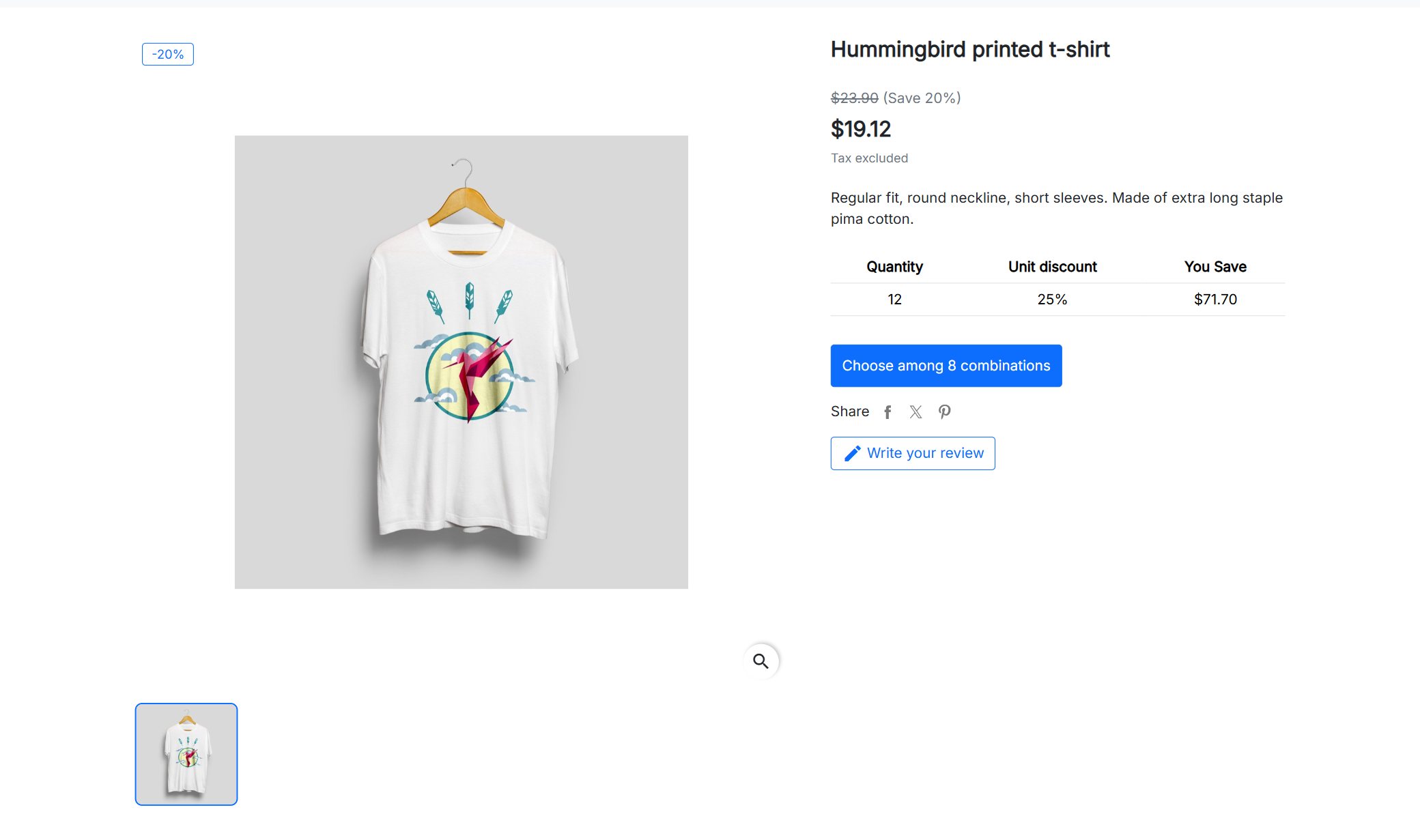
4. Your theme's selector and button make way for one that leads to the table: a single way to buy on the page. If anything fails in the browser, the page keeps the usual form.
Want to try it yourself? Open it in the demo shop.
Your retailers, distributors and trade customers order by the box: several sizes, several colours, lots of units. The matrix puts it all in front of them and lets them write the order the way they have it in their head.
For the rest of your customers, the table helps them find their combination without trying the selector ten times: they see them all, filter by size or colour and add theirs with its button.
The table brings no colours or fonts of its own: it takes the buttons, fields and colour of your theme. In Classic, Hummingbird or Warehouse it looks as if it had always been there.
Your prices, your discounts and your cart are still PrestaShop's. The table only puts them in view.
Install the module and the table appears on its own on products with combinations, below the product. In its settings you choose whether it shows on all of them or only in some categories, and each product can always or never show it.
Yes. They type the quantity of each combination and press a single button: they all go into the cart in the same request. If one can't, because of stock or the minimum quantity, it is marked in the table with the reason and the rest goes in anyway.
Yes: from PrestaShop 1.7.5 to 9.x, with PHP 7.1 to 8.4, multistore included. We have tested it version by version with the Classic, Hummingbird and Warehouse themes.
Yes. The tiers are PrestaShop's specific prices, and the total applies them just like the cart: by the quantity of the combination or of the whole product, as your shop is configured.
They show as sold out and can't be ordered, unless you allow ordering out of stock: then they appear as “on backorder”. If you prefer, you hide them entirely, and your customer has the “In stock only” filter.
Yes. On a phone each combination is a card and the matrix reads colour by colour, with finger-sized plus and minus buttons and the total bar fixed at the bottom.
Yes. You mark which customer groups buy wholesale and they see the matrix and the order bar. The rest of your customers, and anyone not logged in, see the table with one button per row.
It works with Classic, Hummingbird, Warehouse and the themes based on them, and takes their look. If your theme is very different, you can place the table wherever you want with one line in its template.
On one shop, plus its separate test copy. The licence is yours forever and includes three months of updates and support; with the Continuity Plan you get the installation, the first year and the yearly renewal.
Technical details: compatibility and installation
| PrestaShop | 1.7.5 to 9.x | Multistore included. |
| PHP | 7.1 to 8.4 | No overrides or core changes. |
| Themes | Classic, Hummingbird, Warehouse and child themes | Takes the theme's buttons, fields and colour. |
| Prices | PrestaShop's | Specific prices, quantity discounts, groups and taxes. |
| Languages | en, es, fr, it, de | In the shop and in the back office. |
Upload the module
From the PrestaShop module manager, like any other. It appears in Catalog › Combinations table.
Choose where and for whom
Which products it shows on, which groups buy wholesale and which columns it shows.
Open a product page
The table is already below every product with combinations.
Your next big order, in one click.
The licence is yours forever and the table works as soon as you install it.
A module, an app, a server that is giving you trouble or something urgent. We answer within 24 hours, with a fixed quote with a price and a date.