Virtual Products with Combinations for PrestaShop
Sell downloadable products that also have combinations in PrestaShop: every variant keeps its own price and its own…
- PS 1.7+
- PS 8
- PS 9

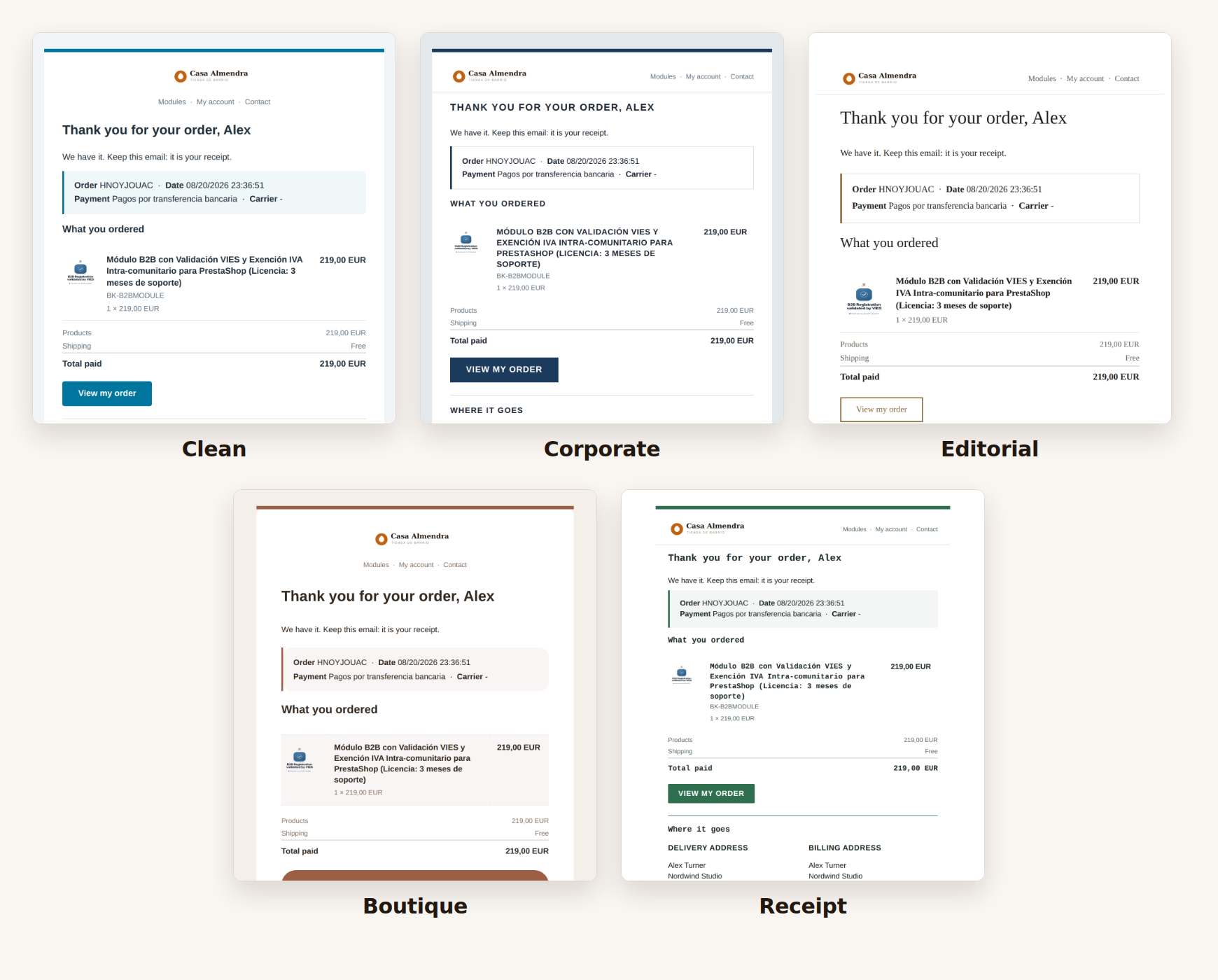
Pick one and your whole shop changes look.
Each design changes the typeface, the colours, the air and even how the product list looks: a sober corporate one, a boutique one with rounded corners, a magazine one, a narrow one like a delivery note. You see them with a real email from your shop before choosing, and applying one keeps your logo and your networks.

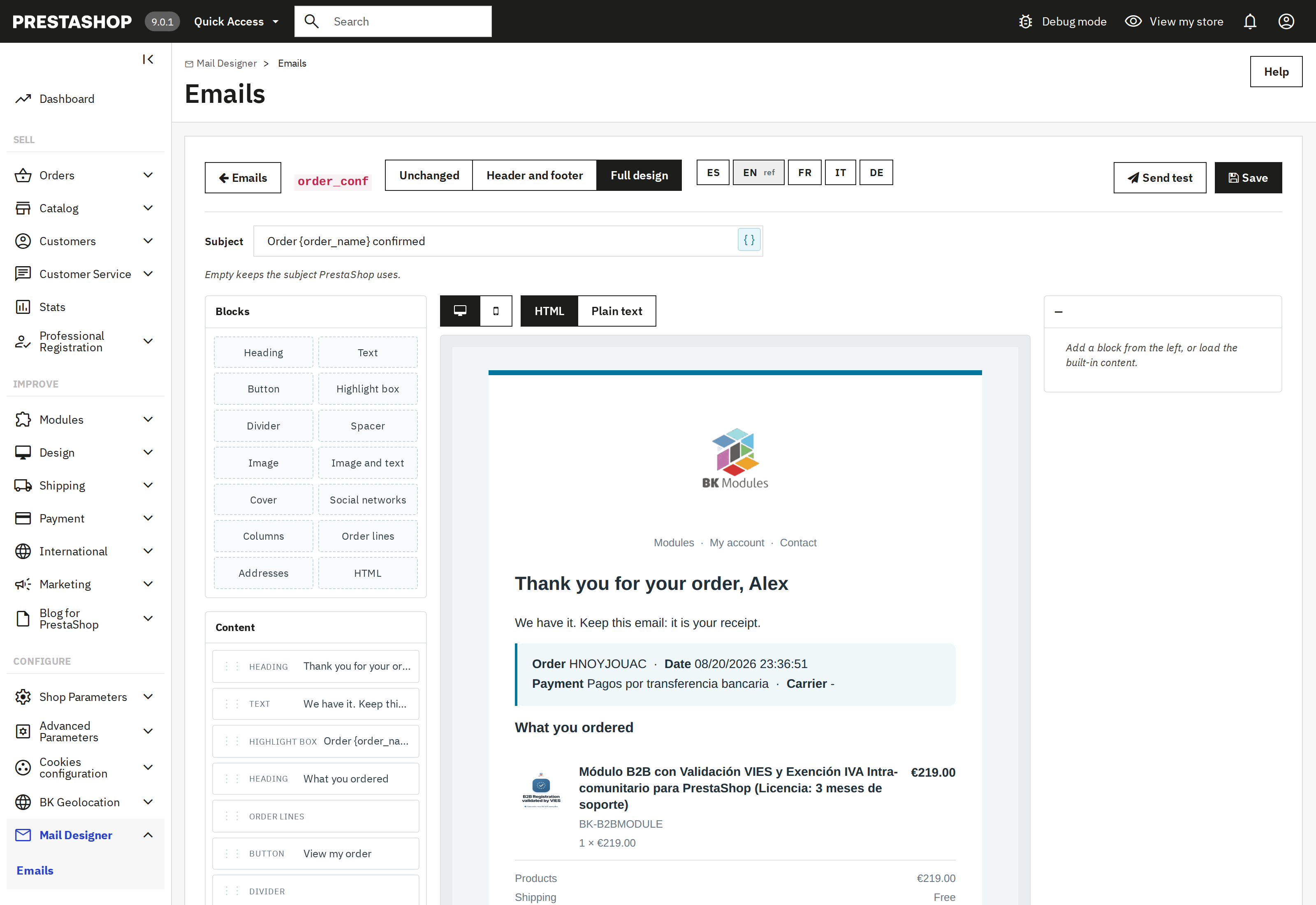
Drag, click and see it right away.
You add blocks, click inside the email to change them and the result appears beside you as you type. The preview is the real email, not an approximation: it is painted by the same engine that sends it.
Headings, text, buttons, highlight boxes, images, a cover with a photo, columns, social networks, the product list and the addresses.
The name, the order number, the date or the carrier go in with one click, and each email offers only the data it has.
One button swaps the editor for the code, for anyone who prefers to write it by hand.

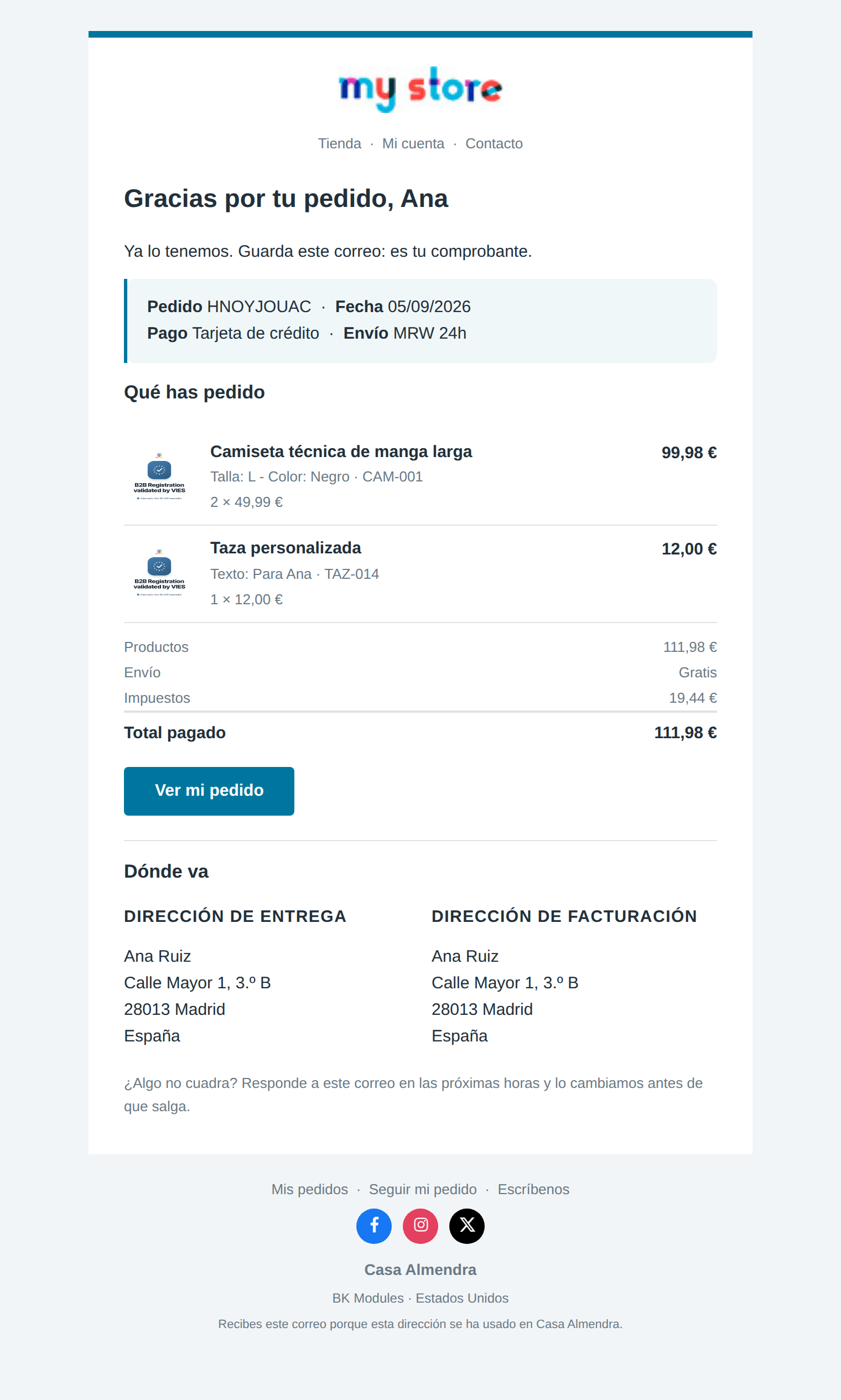
The order confirmation, with your logo and your colours.
Your shop sends emails all day: the order confirmation, the new account, the shipping notice, the password. All of them go out with the template PrestaShop ships. With this module they go out with your logo, your colours, your links and your social networks, and you write the text. This is what your customer gets.

PrestaShop’s and the ones each module adds.
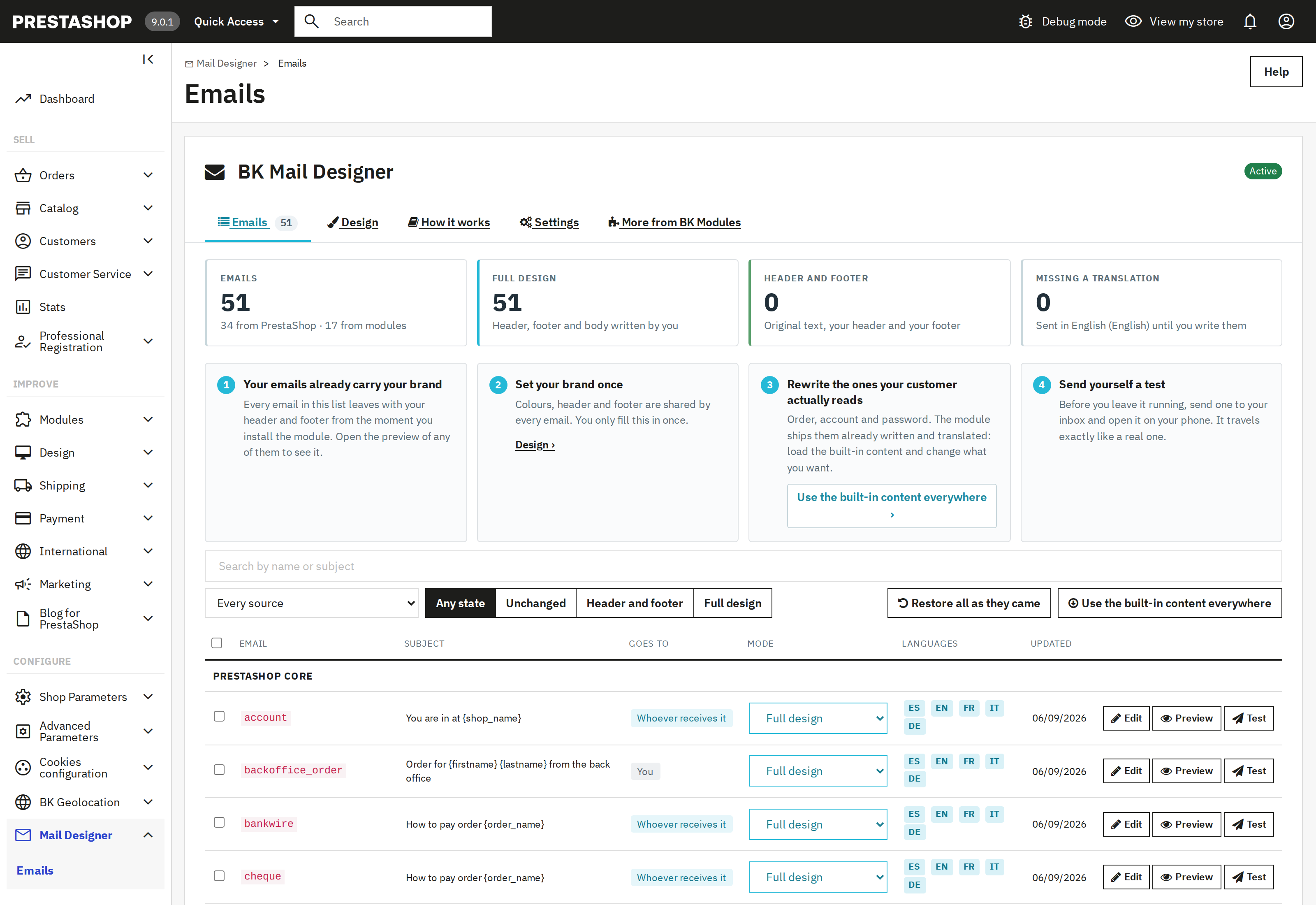
No hunting for them: the module finds your shop’s templates —PrestaShop’s and those of every module you have installed— and puts them in one list with their subject, their languages and their state. Install a new module and its emails show up there on their own.
Leave some as they are and redesign only the ones your customer sees.
The text they already had is kept and wrapped in your header and footer.
You write the content, with the editor and without touching code.
Each language with its own text; the ones you skip inherit from the main one.

The product list, finally legible on a handset.
Here is the part that annoys people most. PrestaShop sends the products in a five-column table, and on a phone screen the product name is left with eighty pixels: it breaks into five lines, or the email has to be dragged sideways. The module rebuilds it as one line per product —with its photo, its size or colour and its «2 × 49.99 €»— and the amount on the right.
Lines that add up to nothing disappear: an order with no discount no longer shows «Discounts 0.00 €». And when shipping costs nothing, the email says «Free» instead of a zero, which is a selling point going to waste.
For when the customer says it never arrived.
Every order page has a button that sends the confirmation to the customer again, in their language and with that order's real data. It is not a copy or an approximation: it goes out the same way the original did, so they get exactly what they would get today.
Every email has a button that sends it to your own inbox, so you can open it on your phone. It travels exactly like a real one.
What to know before installing it.
PrestaShop 1.7.6 to 9, with your theme, across several shops and languages. Also with the emails any module adds.
Tested in Gmail, Outlook and Apple Mail, on desktop and on a phone.
Your sending server stays yours. No API keys, no third-party services, no data leaving your shop.
It replaces no template, so you can go back whenever you want and your website design is untouched.
You upload it once on the design screen, next to the colours and the links, and it shows on every email of the shop at once. No repeating it email by email or language by language.
No. The module does not replace the PrestaShop templates: it changes the email at the moment of sending. An update can touch the original files without taking your design.
Because the product list is five columns meant for a desktop screen. The module reorders it into one line per product and it reads without dragging anything.
Yes. It finds them the same way as PrestaShop’s. And if some module sends its product list in a shape it does not recognise, that part goes out as always instead of breaking.
No. When you install it, the emails already come written and translated into five languages. You change the ones you care about and the rest is done.
Yes. Every email has a button that sends it to your inbox so you can open it on your own phone, and it travels exactly like a real one.
Yes. There is a button on the order page in the back office that sends it again to their address, in the order's language and with its data. It is what you need when a customer says the email never arrived, or they have lost it. We tell the whole story in the article about the order confirmation email.
Working on day one, with nothing to configure.
From minute one your emails carry your header, your footer and content written in five languages. Nothing to configure.
One screen for the logo, the colours, the typography and the links. It applies to every email at once, not one by one.
Every email has three modes: leave it as it is, wrap it in your header and footer, or write it entirely with the editor.
One button sends any email to your inbox so you can open it on your own phone. It travels exactly like a real one.
Ready to boost your PrestaShop store? Let's discuss your project and create something amazing together.
Contact us now