PrestaShop ALTCHA Anti-Spam
Protect your PrestaShop forms from spam and bots with ALTCHA. A free reCAPTCHA alternative with no Google dependency.…
- PS 1.7+
- PS 8
- PS 9
The accessories of what they are looking at, right above the buy button.
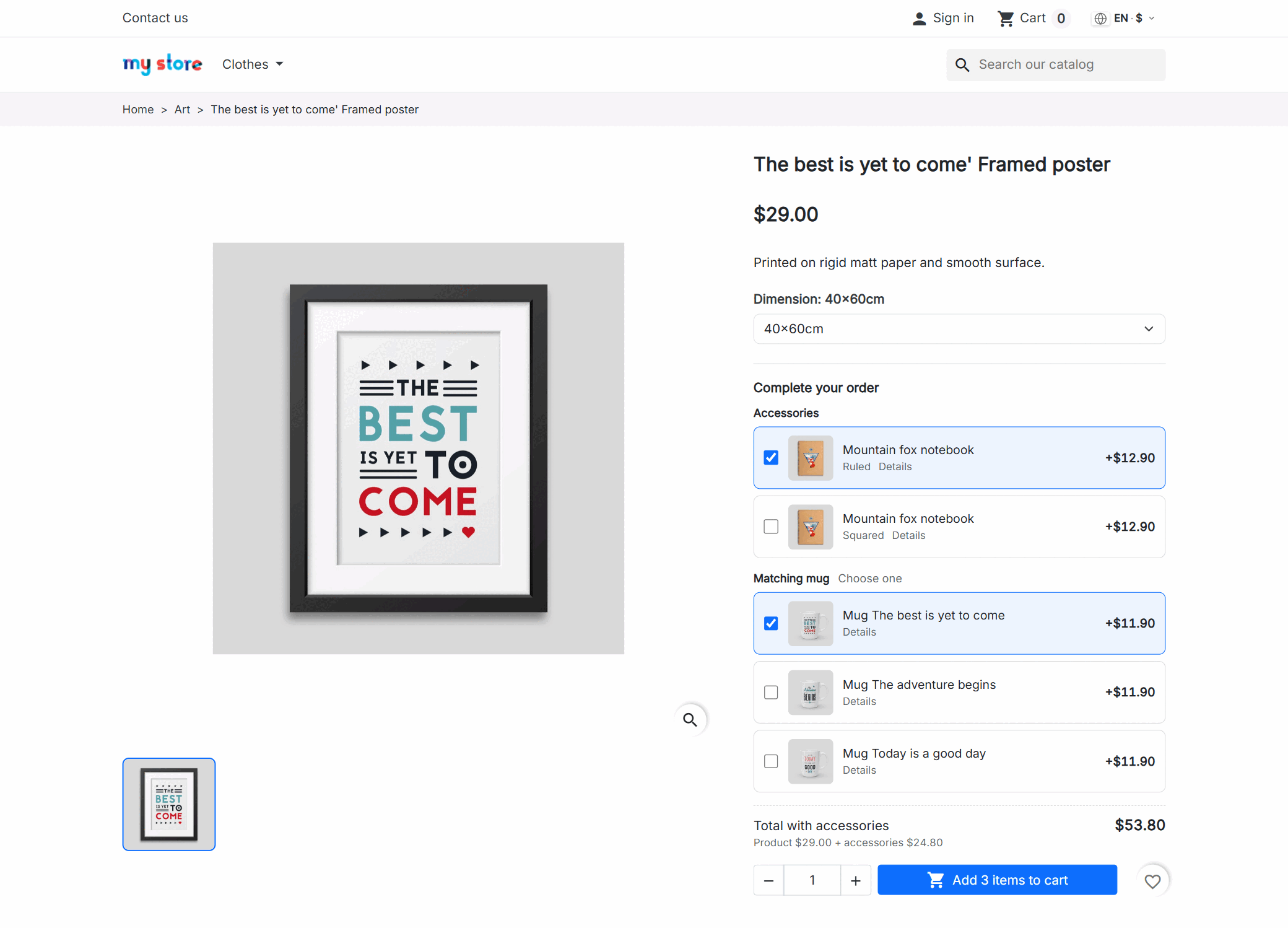
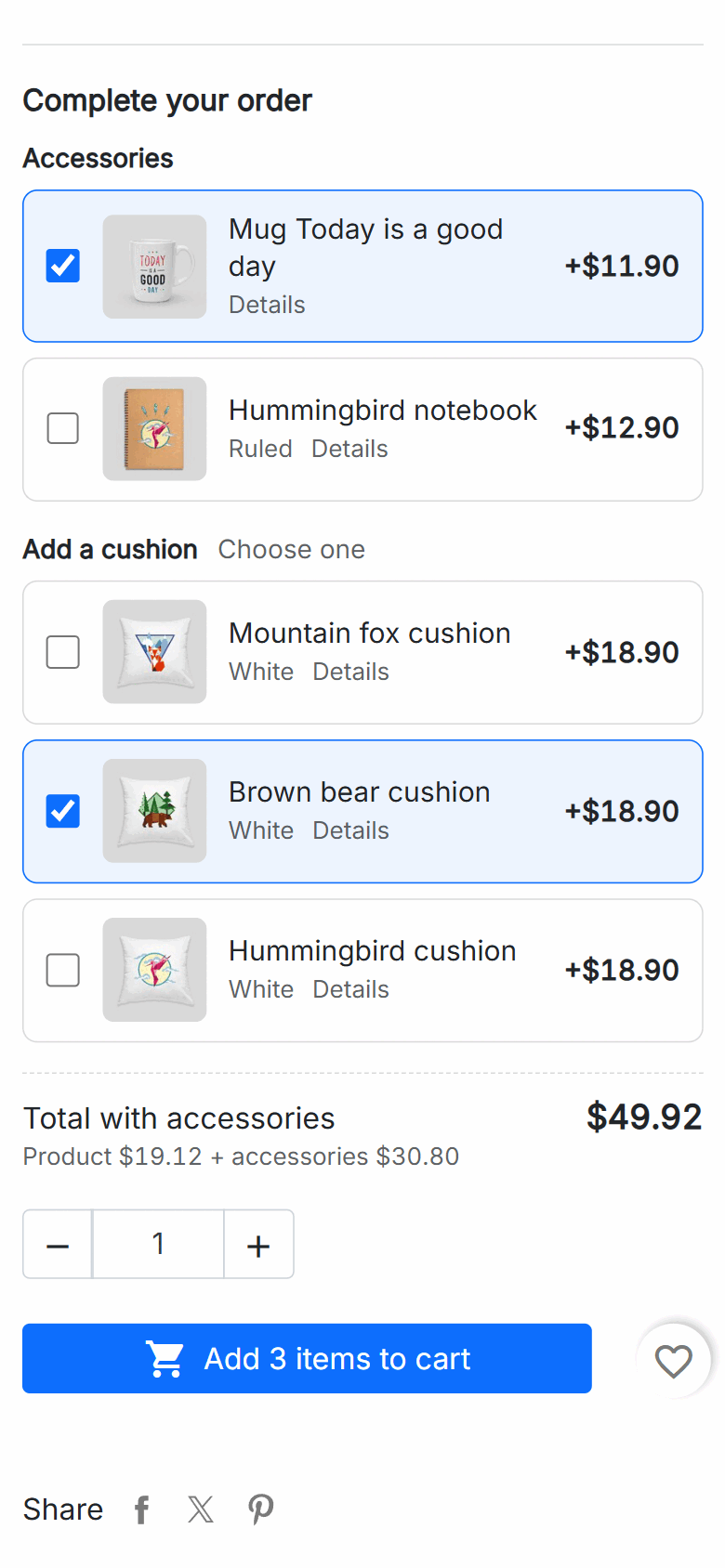
Your customer picks the size or the dimensions as always and, before pressing "Add to cart", sees what goes with that product: the case, the spare part, the frame, the mounting kit, the extended warranty. Each one with its photo, name, price and a checkbox. They tick what they want, the total adds up in front of them and the button changes to "Add 3 items to cart".
"Cases", "Installation", "Warranty": each group with its own heading and options. In a group you can let the customer tick several or just one —two inks of different colours yes, two cases for the same phone no— and they can always untick it: an accessory is never compulsory.
The product and its accessories go in together, with the same button as always.
There is no second button and no other page: when the customer presses "Add to cart", the ticked accessories travel with the product and land in the cart at the same moment. The cart window that opens already shows the total with everything inside.
If the product cannot go into the cart, neither can its accessories. No chargers without the phone.
Product plus accessories, times the quantity they chose, before they press the button.
Three phones, three cases; or a single mounting kit for the whole order. You decide.
An accessory that is out of stock or disabled is not offered. When it is back, it shows again.
The case for size M is not the one for size XL.
An accessory can apply to the whole product or to just one of its combinations. When the customer changes size, colour or dimensions, the list changes with them: the 80×120 frame offers its matching cushion and the 40×60 does not; the 30 mm cylinder its sensors, and the 50 mm one its own.
And the accessory itself can be a specific combination: "Ruled notebook", not just "Notebook". The customer gets exactly that one, without having to open its page to choose it.
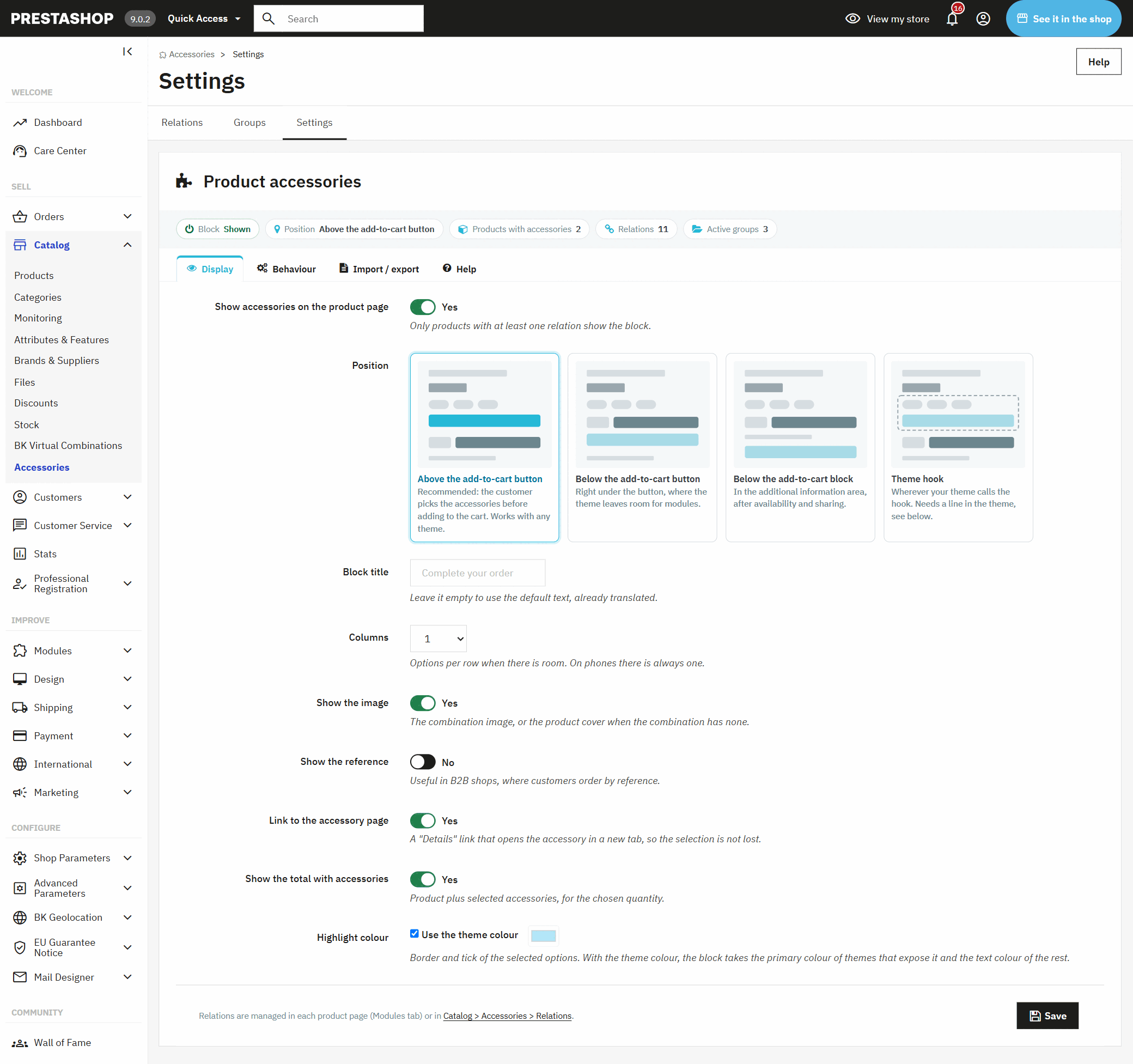
It takes your shop's fonts and colours; you only choose where it goes.
The block brings no design of its own to clash with yours: it uses your theme's typography and colours, and the ticked box is painted in its main colour (or the one you choose). It works as it is with classic, with Hummingbird —the PrestaShop 9 theme— and with themes built on them.
From the product page itself, without leaving it.
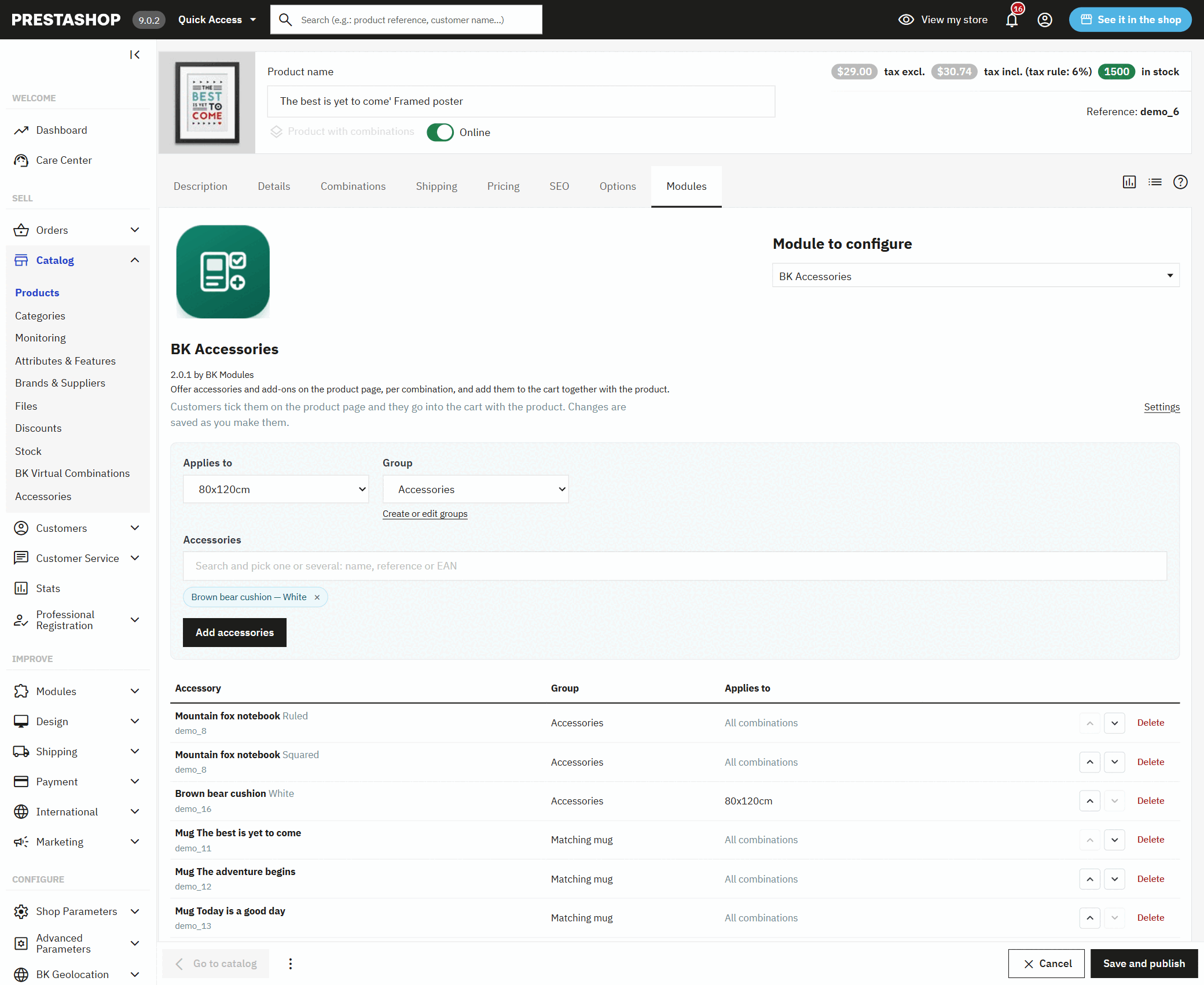
In the Modules tab of each product you search for the accessories by name, reference or EAN, choose whether they apply to all combinations or to one, pick the group and add them. They are saved instantly and already show in the shop.
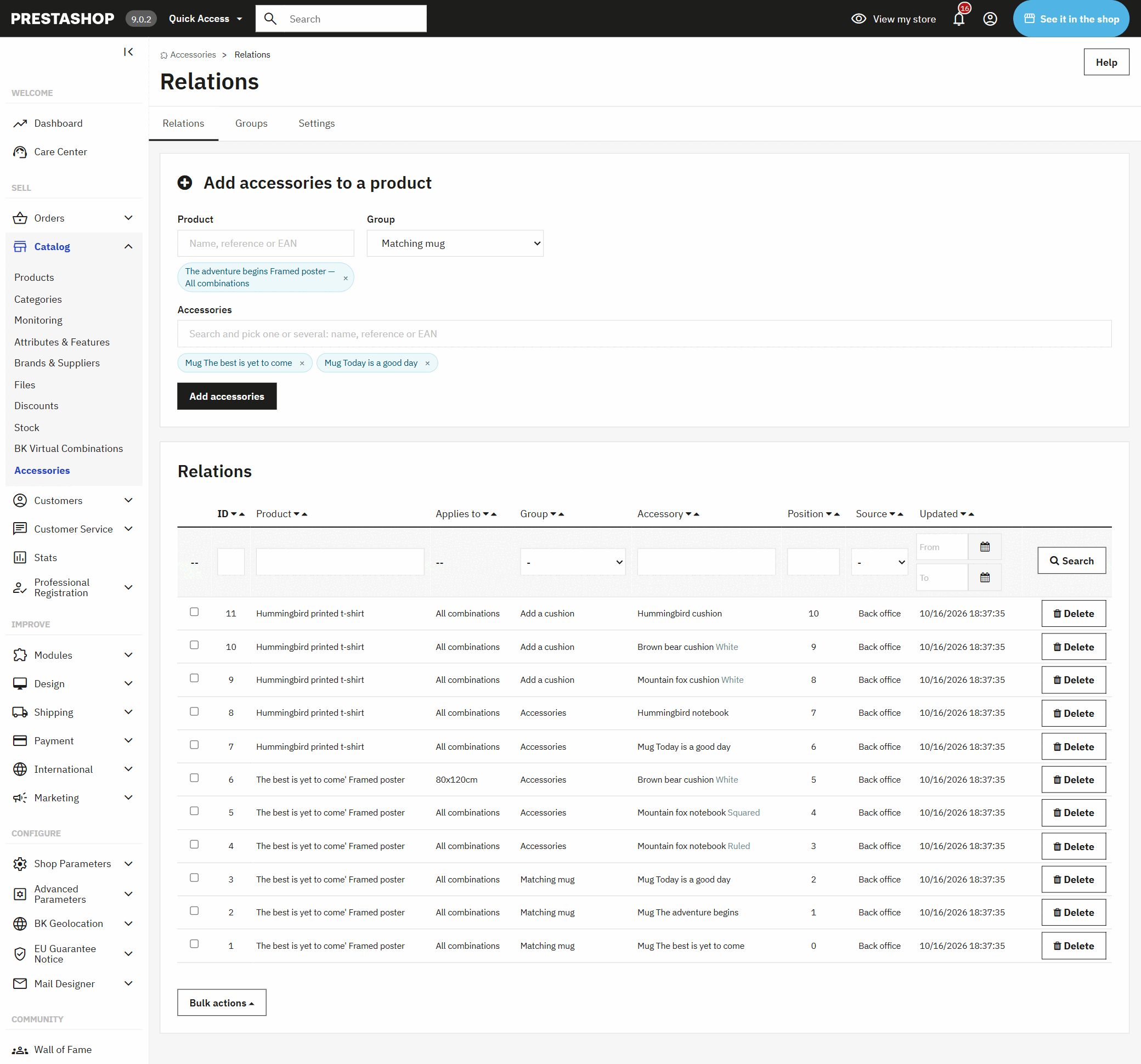
In Catalog › Accessories you have every relation in the shop in one list, with filters by product, group and accessory, and the same search box to add them to any product.
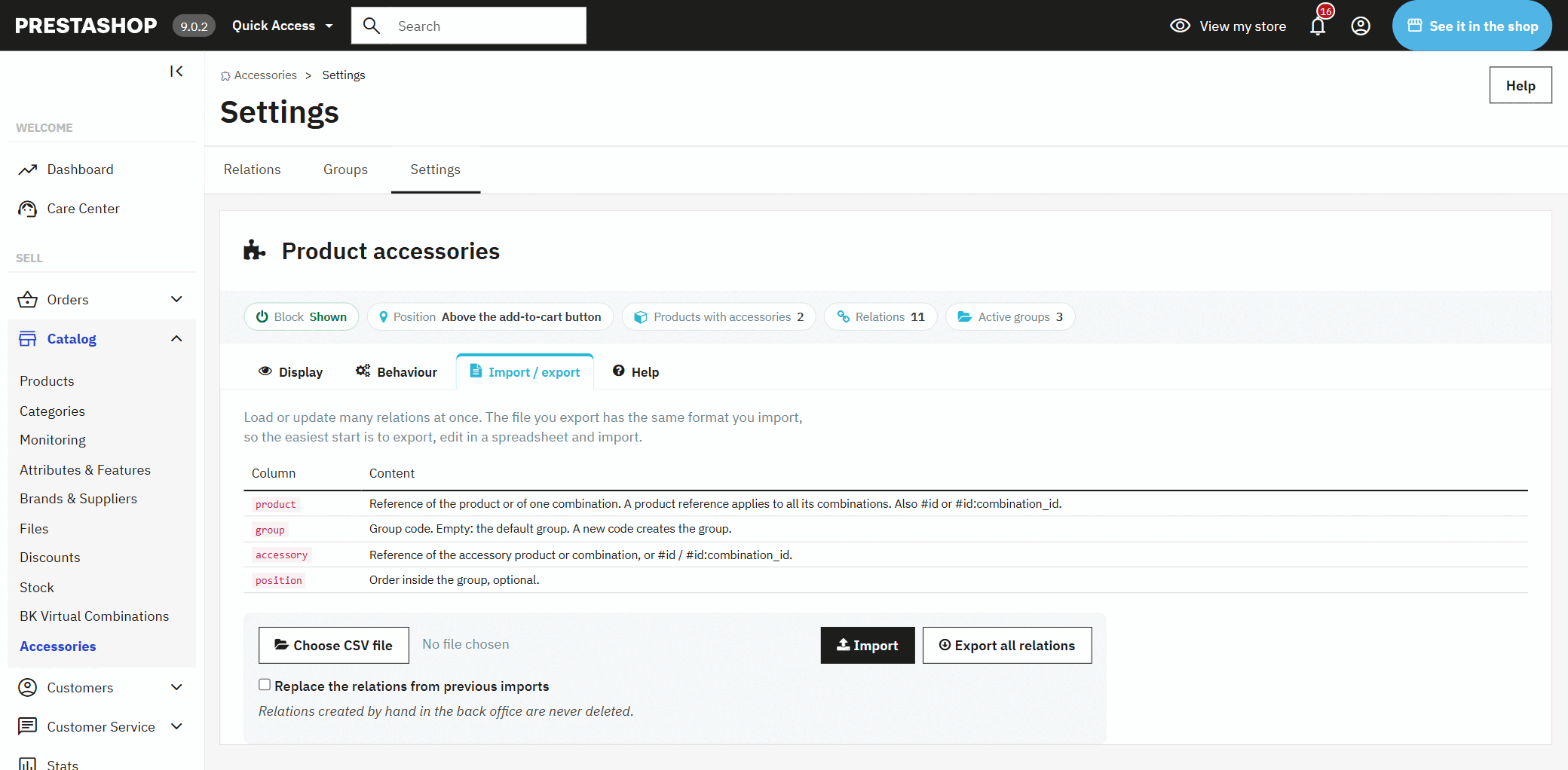
If your catalogue is large, export, fill it in Excel with the references you already use and import it. The file that comes out is the same one that goes in, and what you added by hand is never touched.
What the customer does not see when buying, they do not buy.
The customer taking a camera also needs a memory card; the one buying a tap, the hoses; the one buying a printer, the ink. If that is not in front of them when they press the button, they buy it somewhere else or write to you later because a part is missing.
PrestaShop's own accessories appear at the bottom of the page, as one more strip of products: the customer has to scroll down, open each one, choose its combination and add it separately. This module puts them at the moment the purchase is decided, already in the right combination, and adds them to the cart with the same click.
If you sell things that are bought in pairs, yes.
What to know before installing it.
From PrestaShop 1.7.6 to 9, with classic, Hummingbird or a theme based on them.
Groups and titles per language and per shop; prices in each customer's currency and with their taxes.
Where prices are hidden, the block is too; or it shows without prices, if you want people to see what goes with each product.
A template you can override from the theme, a hook of its own to place it anywhere and a JavaScript event with the selection.
The accessories that come with PrestaShop are linked to the whole product and appear at the bottom of the page, as a strip of products the customer has to open and add one by one. With this module each combination has its own, they appear next to the buy button with their price and go into the cart with the product in a single click.
Yes. Each relation applies to the whole product or only to one combination, and you can mix both: the ones common to every size and, on top, those of one size. When the customer changes combination, the list changes instantly.
Yes. You offer a specific combination —the ruled notebook, the black case— and that is the one that goes into the cart. If you link the product without choosing, its default combination is added.
It stops being offered while it cannot be ordered, and comes back by itself when there is stock or if that product accepts orders when out of stock. A disabled accessory is not shown either.
With classic, with Hummingbird and with themes built on them it works without touching anything, because it sits in the standard spots of the product page. If your theme is very different, your developer can place it anywhere with one line, or override its template from the theme.
Yes, by CSV with your catalogue references: the product's or a combination's, the group and the accessory's. Export, edit in the spreadsheet and import; relations created by hand in the back office are left untouched.
Yes, from PrestaShop 1.7.6 to 9, with the new product page and with the classic one. The licence includes updates.
Install it, open a product and it is already selling with accessories.
It creates the "Accessories" group and places the block above the buy button. Nothing to switch on.
In its Modules tab, search, pick and add. Open the page in the shop and they are there.
Create groups like "Cases" or "Installation" and decide in each one whether one option or several can be ticked.
When you want to extend it to the whole catalogue, export, complete the sheet with your references and import it.
A module, an app, a server that is giving you trouble or something urgent. We answer within 24 hours, with a fixed quote with a price and a date.