Geolocation for PrestaShop: Prices, Currency & Language by Country

One country, one language, one currency, one price list. Detects the visitor country by IP —Cloudflare or MaxMind— and serves the shop in their language with the prices you set for that market, without cloning the store or hurting SEO.

$49.99
License
Try Live Demo Test all features now
Instant download after purchase Secure checkout
Geolocation module for PrestaShop: prices, currency and language by country

Geolocation for PrestaShop: Prices, Currency & Language by Country

Selected:
$49.99
PS 1.7+, 8.x, 9.x
SSL Secure
Instant Download
Official Support
14-Day Refund
Licensed

Geolocation for PrestaShop: prices, currency and language by country

You do not sell to a German the way you sell to a Turk. This module detects the visitor's country and serves your shop in their language, in their currency and with the price list you decided for that market, from the very first page they open. No cloned stores, no risk to your rankings. For PrestaShop 1.7.6 up to 9.x.

One price for the whole world leaves money on the table

The same figure does not mean the same thing everywhere

With a single price you have to choose: set the one your strongest market bears and stay out of the rest, or set the lowest one and give away margin where people would have paid more. PrestaShop already stores a different price per currency; what it cannot do is put every visitor into the currency that belongs to them before they see the first figure, and keep the other price lists out of sight. That is what this module does.

Every country, with its own currency and its own price list

You set the rupee price that makes sense in India and the euro price that makes sense in Germany. Someone browsing from Mumbai sees rupees from the home page, without touching a thing. Someone browsing from Berlin sees euros and is never offered the Indian list: their country selector only shows the currencies you enabled for them.

PrestaShop product page priced in rupees for a visitor from India, with the country selector in the header

The prices stay where you already keep them: in PrestaShop's specific price per currency. The module does not invent a parallel price table for you to maintain; it takes care of what the core does not, which is deciding the currency each visitor walks in with.

Main features

Country detected by IP

From the Cloudflare header or from MaxMind's GeoLite2 database on your own server. No paid services and no third-party calls on every visit.

One currency per country

Each rule sets the currency the visitor arrives in and which other currencies they may pick. Anything outside their rule is never even offered.

Automatic language

The visitor lands on the URL of their own language. If they were already heading to a language URL, that one is respected: it is what they asked for.

Built around SEO

Every language keeps its own indexable URL and crawlers stay out of the redirect: Google keeps seeing the page it has indexed.

Country, language and currency selector

Modal, dropdown, side drawer or compact button, in any of the fifteen positions of your theme. With a search box and country names written in their own language.

Multistore

Every shop in the installation keeps its own rules and its own exceptions, with nothing bleeding across.

Visitors see their country written the way they write it

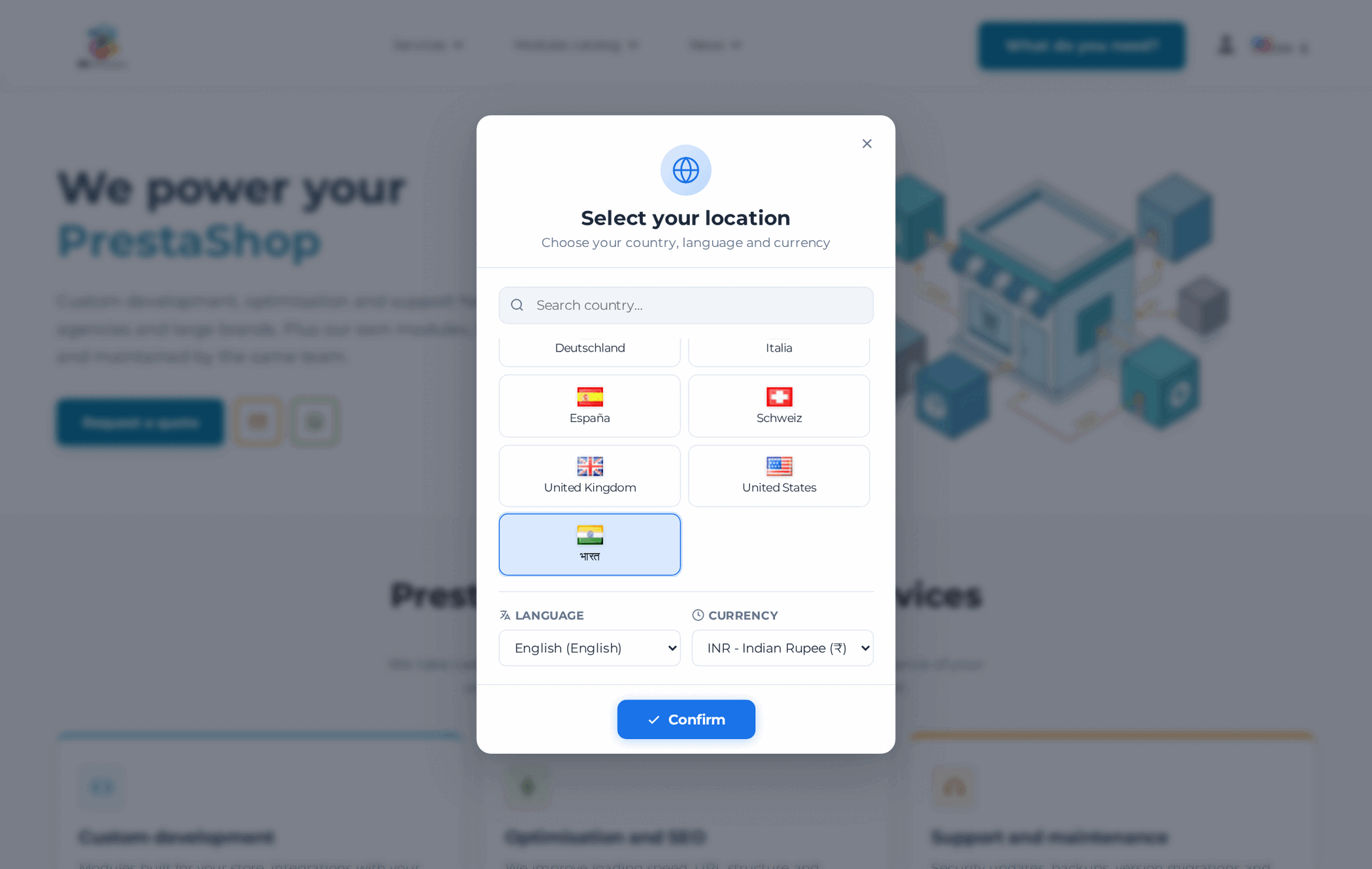
Deutschland, España, Italia, भारत. Country names are not translated into the language of the page: they are written in each country's main language, which is how the people who live there recognise them. Underneath, the language and currency for that country, already selected; and a search box that understands both names, so typing "Germany" finds "Deutschland".

PrestaShop country, language and currency selector with country names in their own language and India selected with rupees

How it works

Install it and it comes seeded

On install it reads the languages you have enabled and creates one rule for each with its matching currency, plus a fallback rule for the rest of the world. It works from minute one; you refine it from there.

Add the countries you care about

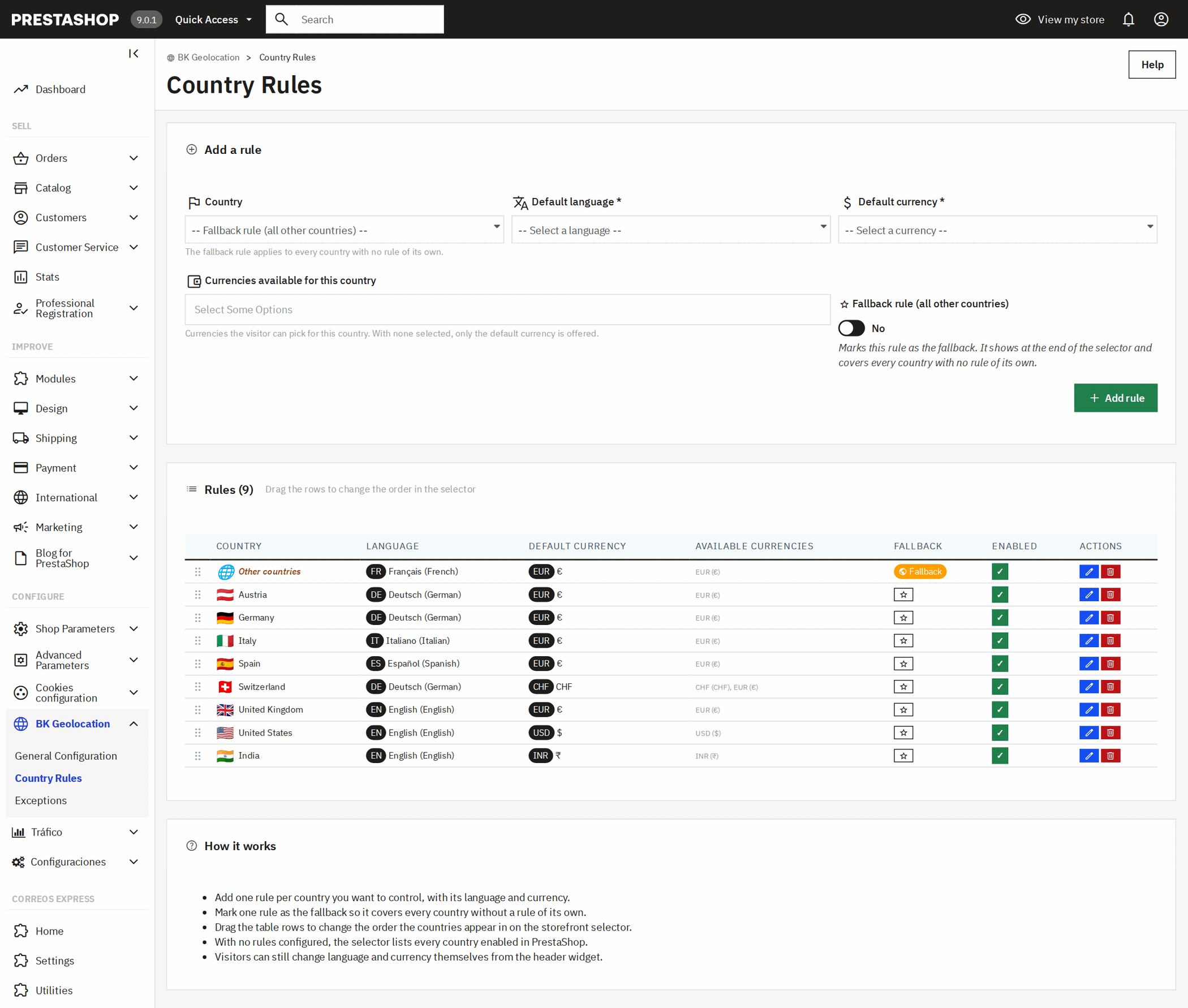
One row per country: language, entry currency and the currencies it may switch to. Drag them to set their order in the selector, or disable one without deleting it.

Price each market

On the product page, a specific price per currency. That is all: the module already makes sure every visitor arrives in the right one.

Country rules of the PrestaShop geolocation module: language, default currency and available currencies for each country

Geolocation that does not break your rankings

This is where most international shops come undone: serving different content on the same URL depending on who is asking. This module is built the other way round.

What it does
  • Every language keeps its own URL, and that is what gets indexed
  • It only redirects from the URL with no language prefix, never in a loop
  • Crawlers are excluded and get the page exactly as it is
  • For a crawler the currency follows the language of the URL: the Spanish page is always indexed in euros
What it never does
  • Switch a page's language halfway through rendering
  • Serve two different contents under the same address
  • Redirect someone who already asked for a specific language
  • Touch your URLs, your canonicals or your hreflang tags
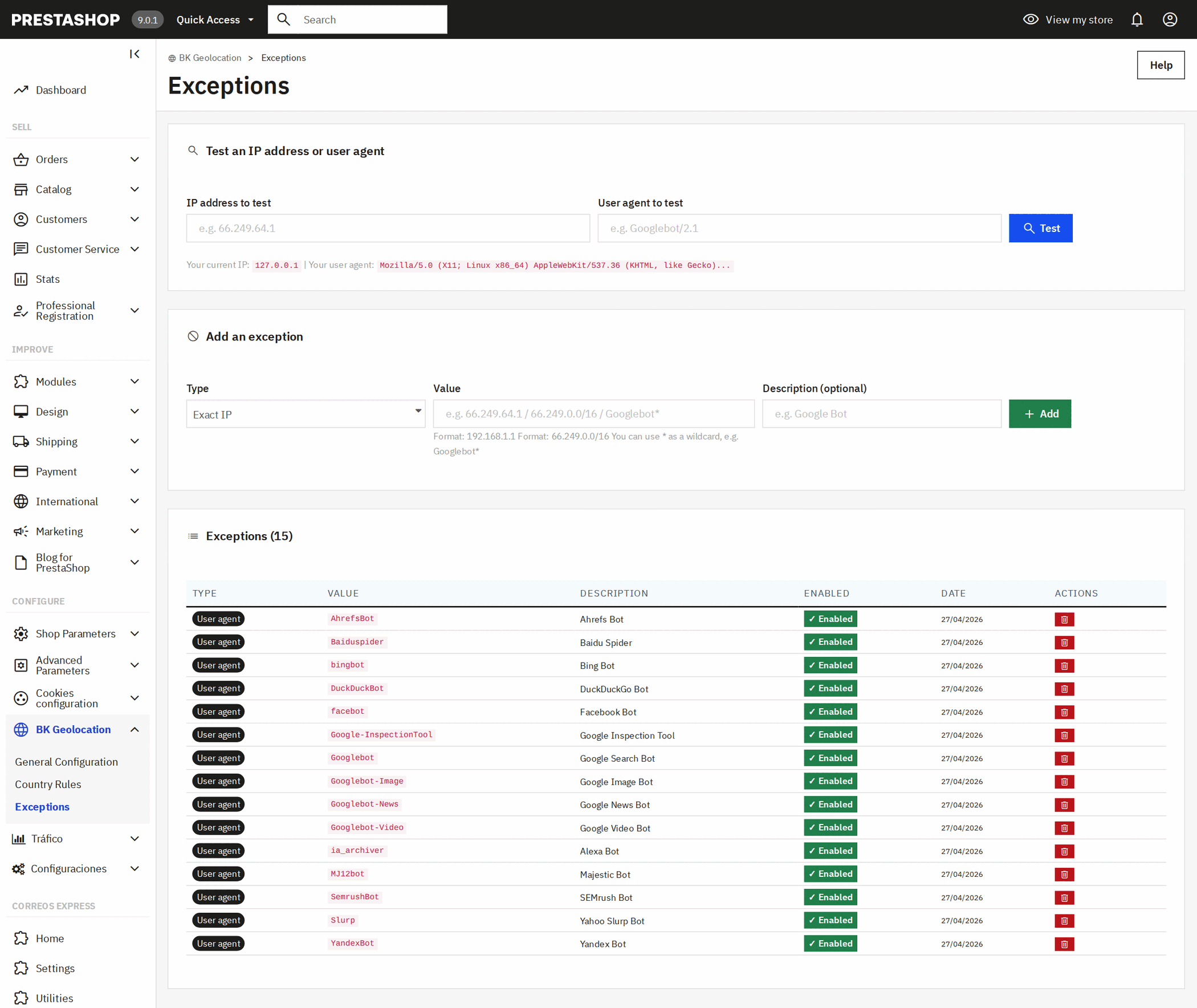
Exceptions in the PrestaShop geolocation module: search engine bots and IP addresses excluded from the automatic redirect

The bot list ships ready — Google, Bing, Yandex, the usual SEO tools — and takes any other user agent or IP address: handy as well for letting your agency or your team browse the shop without being geolocated.

Cloudflare or MaxMind, your call

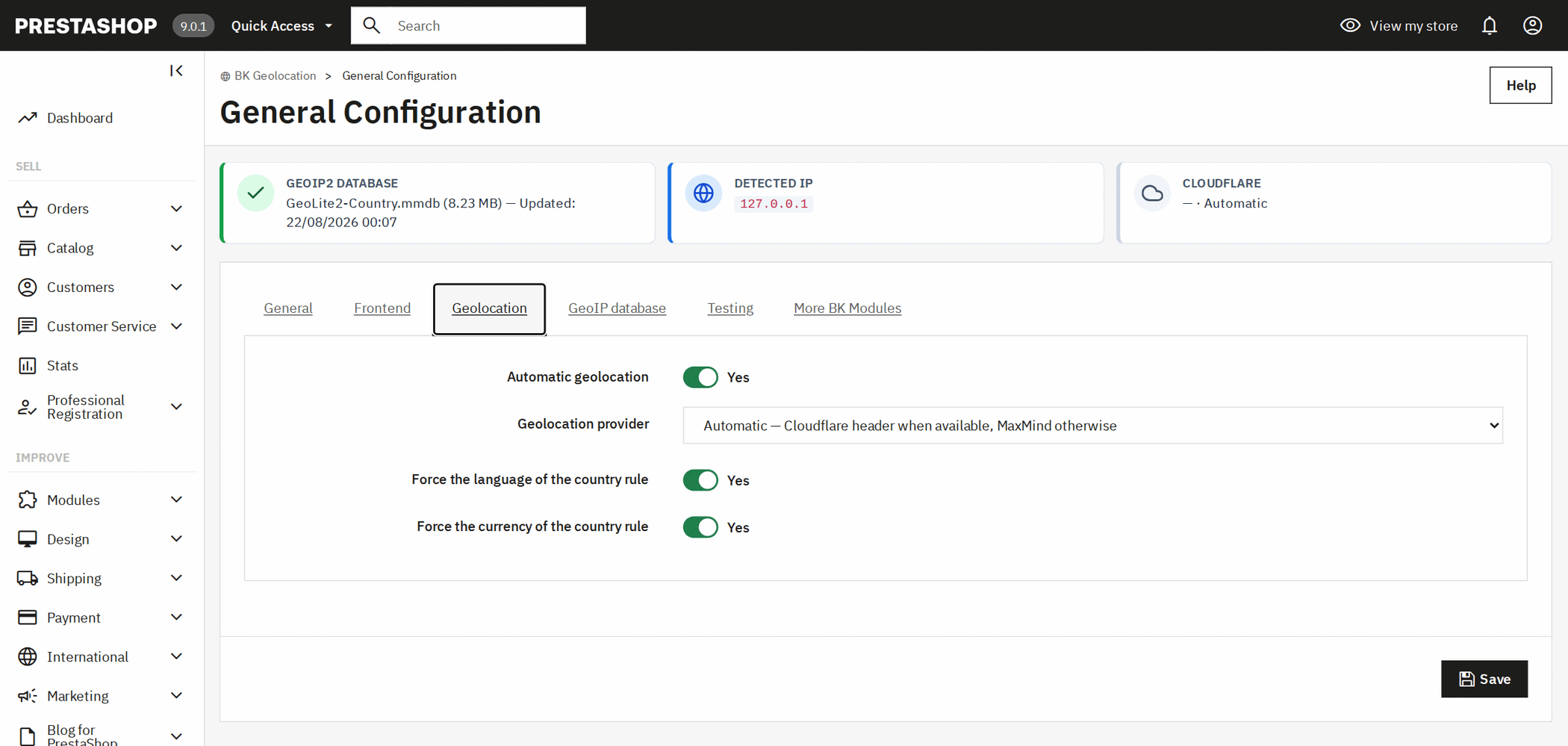
If your shop sits behind Cloudflare, the country already arrives in the header of every request: no lookups, no maintenance. If it does not, the module resolves it with MaxMind's GeoLite2 database installed on your own server. On automatic it uses the header when it arrives and the database when it does not.

Geolocation provider setting in PrestaShop: Cloudflare, MaxMind or automatic

The database, updated with one button

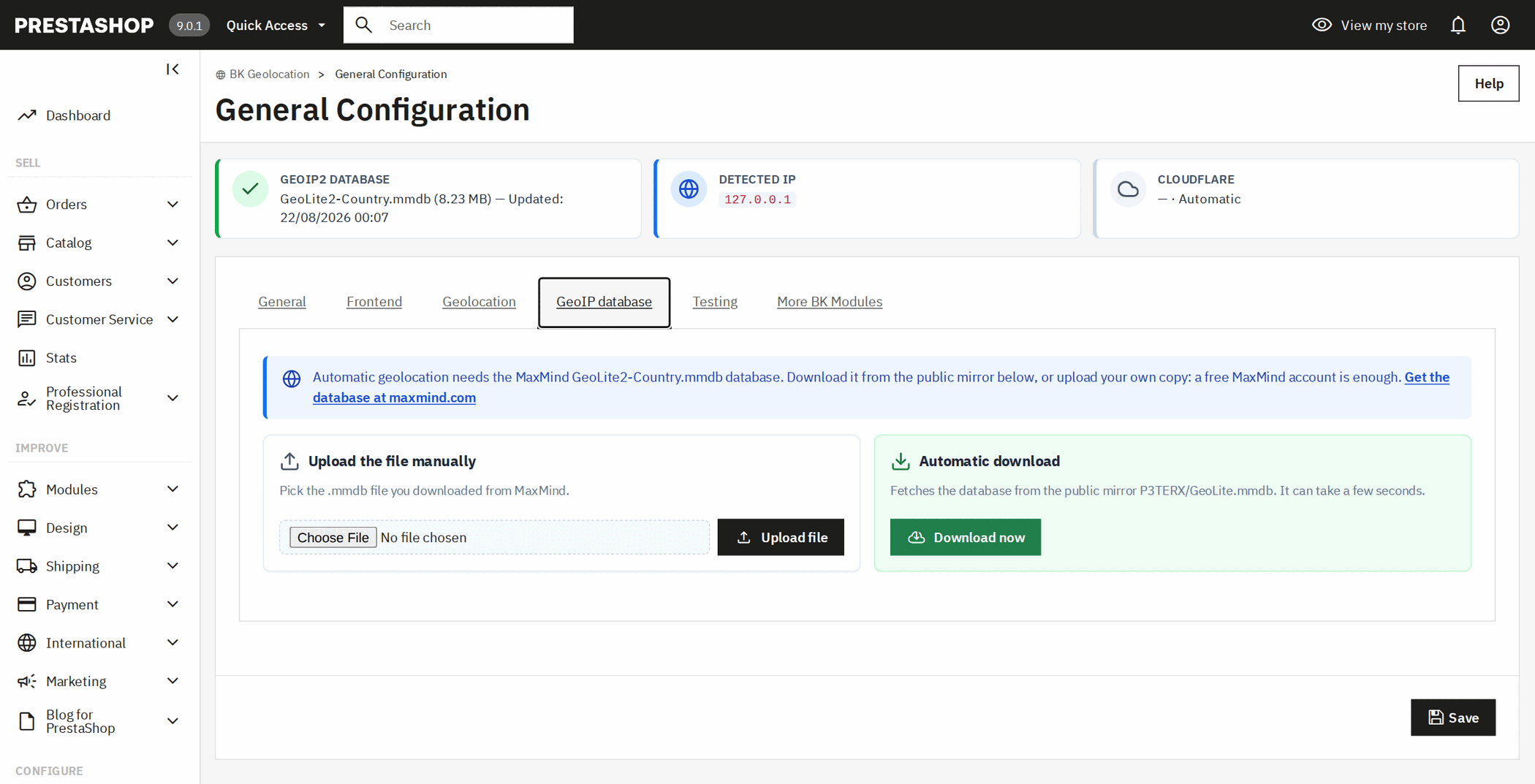
One button downloads the GeoLite2 database from a public mirror and installs it. If you would rather use your own, a free MaxMind account is enough to download it and upload it from the same screen. The panel shows the file size and date, and warns you when it has gone stale.

GeoIP database screen in PrestaShop: automatic GeoLite2 download or manual upload of the mmdb file

Check it before a customer does

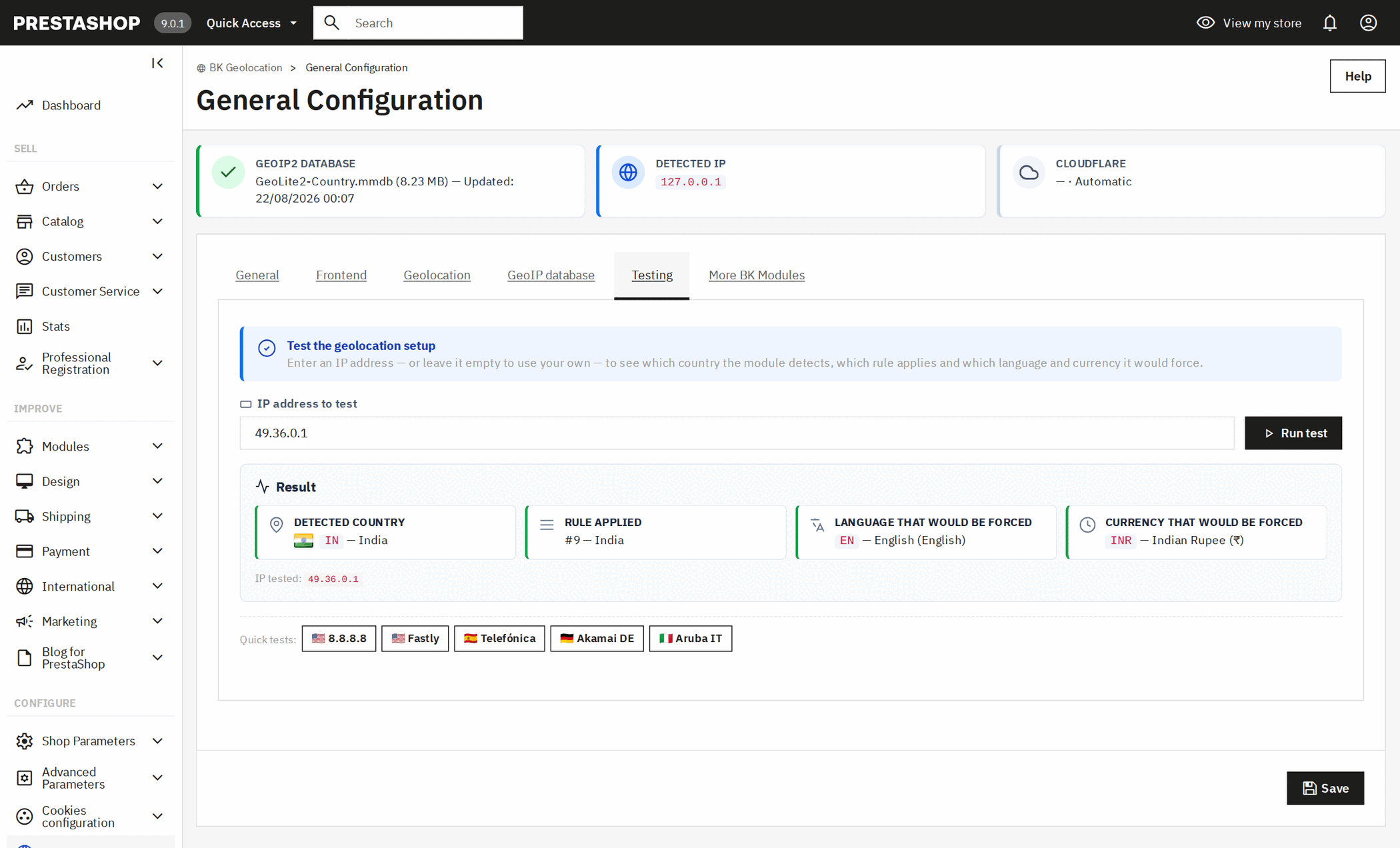
Type an IP address from any country and the module tells you which country it detects, which rule applies, and the language and currency that visitor would arrive with. With shortcuts for known addresses in several countries.

IP geolocation test in PrestaShop: detected country, rule applied, language and currency that would be forced

What people use it for

Selling at each market's price

Purchasing power in India, Brazil or Turkey is not the German one. A price list per currency gets you into markets that would never buy at your European price, without dropping it for everyone.

Charging in the currency people think in

A price in the customer's own currency converts better than one converted on the fly: nothing to translate in your head, no exchange rate to distrust.

Multilingual shops

Visitors land straight in their language instead of on a home page they cannot read, and search engines still see a clean site with one URL per language.

Brands with distributors per region

Each country comes in with the currency and the terms of its region, and the other currencies never show up in the selector.

Compatible with your shop

Versions and environments
  • PrestaShop 1.7.6 up to 9.x
  • PHP 7.1 to 8.4
  • Multistore compatible, with rules per shop
  • No core file is overridden
Languages and data
  • Back office and storefront in English, Spanish, French, Italian and German
  • Translatable into any language from the back office
  • Uninstalling keeps your rules, exceptions and settings
  • No visitor data ever leaves your server

Frequently asked questions

Can you set different prices per country in PrestaShop?

Yes, with a specific price per currency on each product or combination. What PrestaShop will not do on its own is put the visitor into their country's currency: that is this module's job, and it is why the two together give you a price list per market.

How do I change the currency based on the visitor's country?

By creating a rule for that country with its currency. From then on anyone browsing from there sees the shop in that currency without touching anything, and the selector only offers the currencies you marked as available for their country.

Does geolocation hurt SEO?

It does when it is done badly: by changing the content of a URL depending on who asks. Here every language keeps its URL, search engines are excluded from the redirect, and for them the currency follows the language of the URL, so they always index the same page with the same prices.

Do I need a MaxMind account or a subscription?

No. You can download the GeoLite2 database with the module's button, no account required. And if your shop runs behind Cloudflare you need no database at all: the country arrives in the request header.

What if a visitor wants another language or currency?

They can pick one in the selector. Their choice is stored in a cookie — for as many days as you decide — and it overrides geolocation for as long as it lasts: whoever chooses, chooses.

Does it work on PrestaShop 8 and PrestaShop 9?

Yes. It is tested from PrestaShop 1.7.6 to 9.x, on PHP 7.1 to 8.4 and on multistore installations.

Do I have to modify my theme?

No. The selector hooks into one of PrestaShop's fifteen standard positions and you pick it in the settings. It overrides no theme template and no core file.

What happens if I uninstall the module?

The shop goes back to behaving as it did, and your rules, exceptions and settings stay stored in case you reinstall or move servers. They are only wiped if you press the button that does exactly that.

Turn your ecommerce into your best salesperson

Ready to boost your PrestaShop store? Let's discuss your project and create something amazing together.

Contact us now