Shopping Cart


Transform your PrestaShop into a powerful B2B platform with automated customer validation, VIES integration, and private shop functionality
Dedicated registration form for B2B customers with customizable fields for company data, VAT numbers, and professional information.
Automatic VAT number validation against the European VIES database with real-time verification and company data retrieval.
Review and approve professional customers from your admin panel with automatic email notifications and group assignment.
Restrict access to your entire shop or specific pages, requiring login before browsing products and prices.
Automatic intra-community VAT exemption for validated B2B customers with EU VAT numbers.
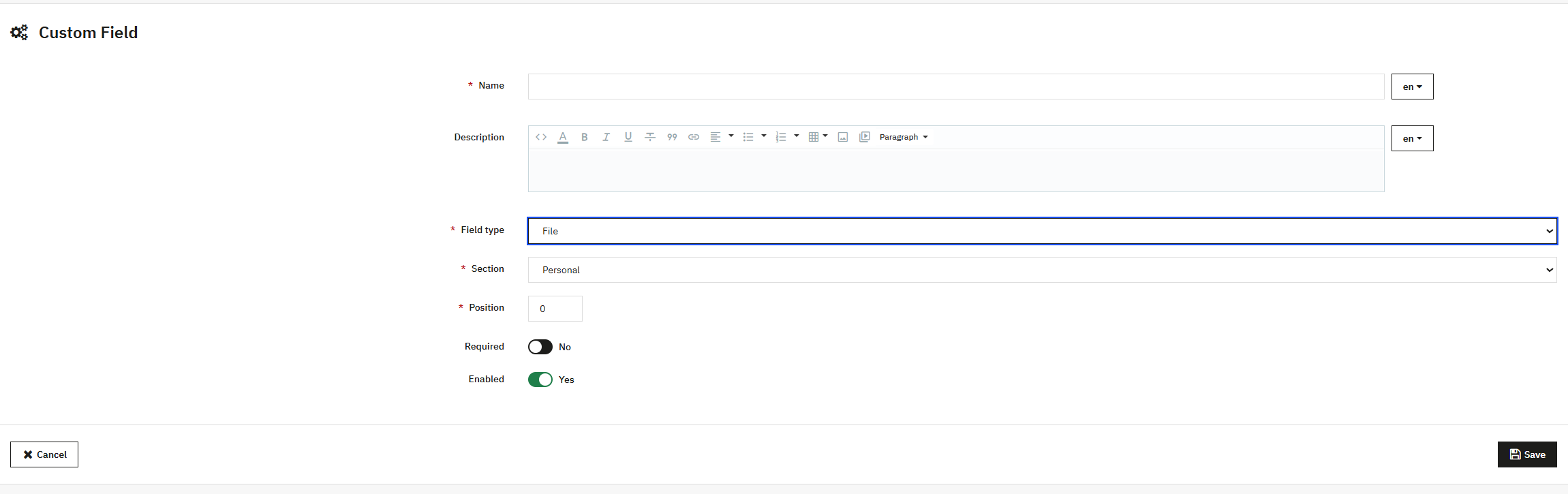
Create unlimited custom fields for personal, professional, and address sections with full control over requirements.
Google reCAPTCHA v2/v3 integration to protect your registration forms from bots and spam.
Automated email notifications for new registrations, validations, and customer status changes.
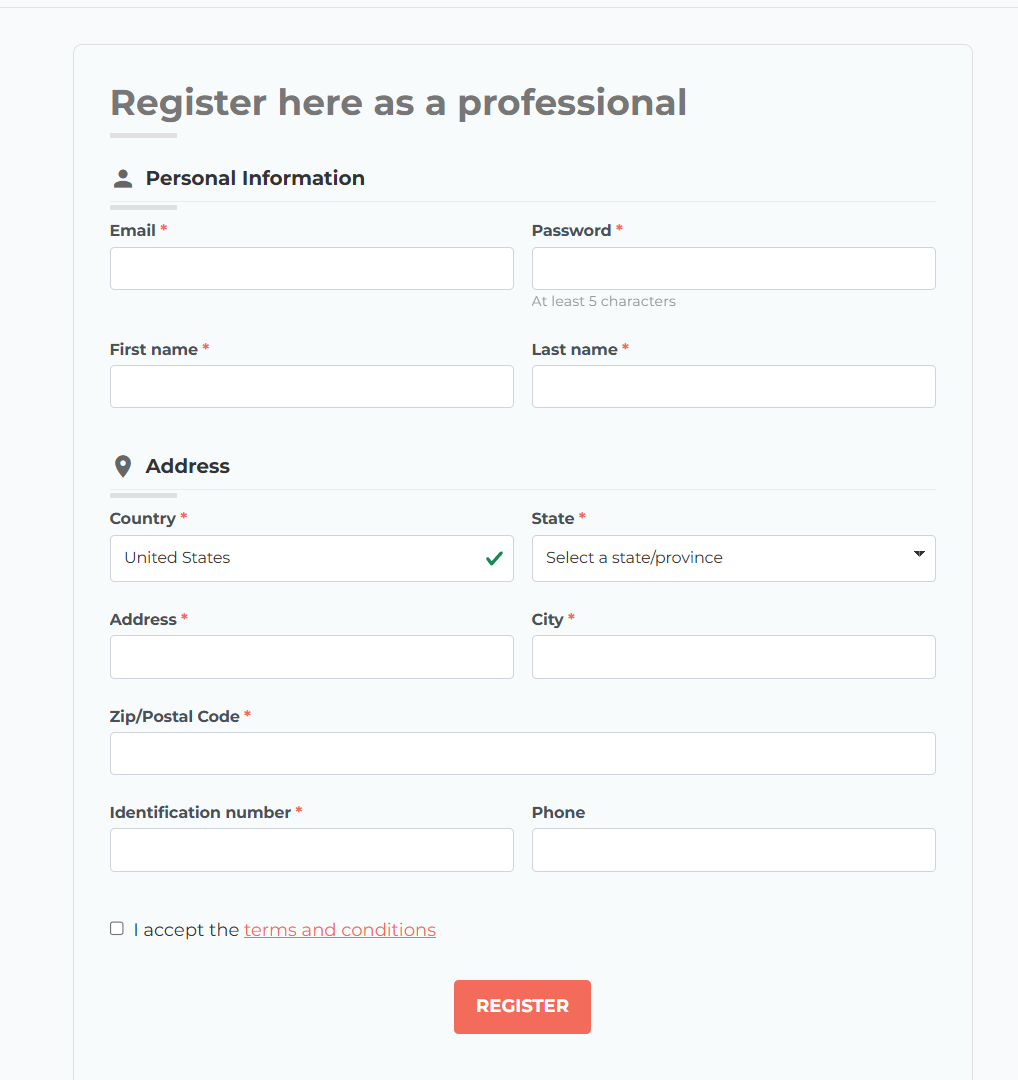
Create a dedicated professional registration experience that separates your B2B customers from standard consumers with a fully customizable registration form.
Choose between automatic user activation or manual validation workflow:
Users are immediately active and can start shopping. Ideal for B2C or low-risk B2B environments.
Review each registration before activation. Perfect for wholesale, distributors, or high-value B2B stores.
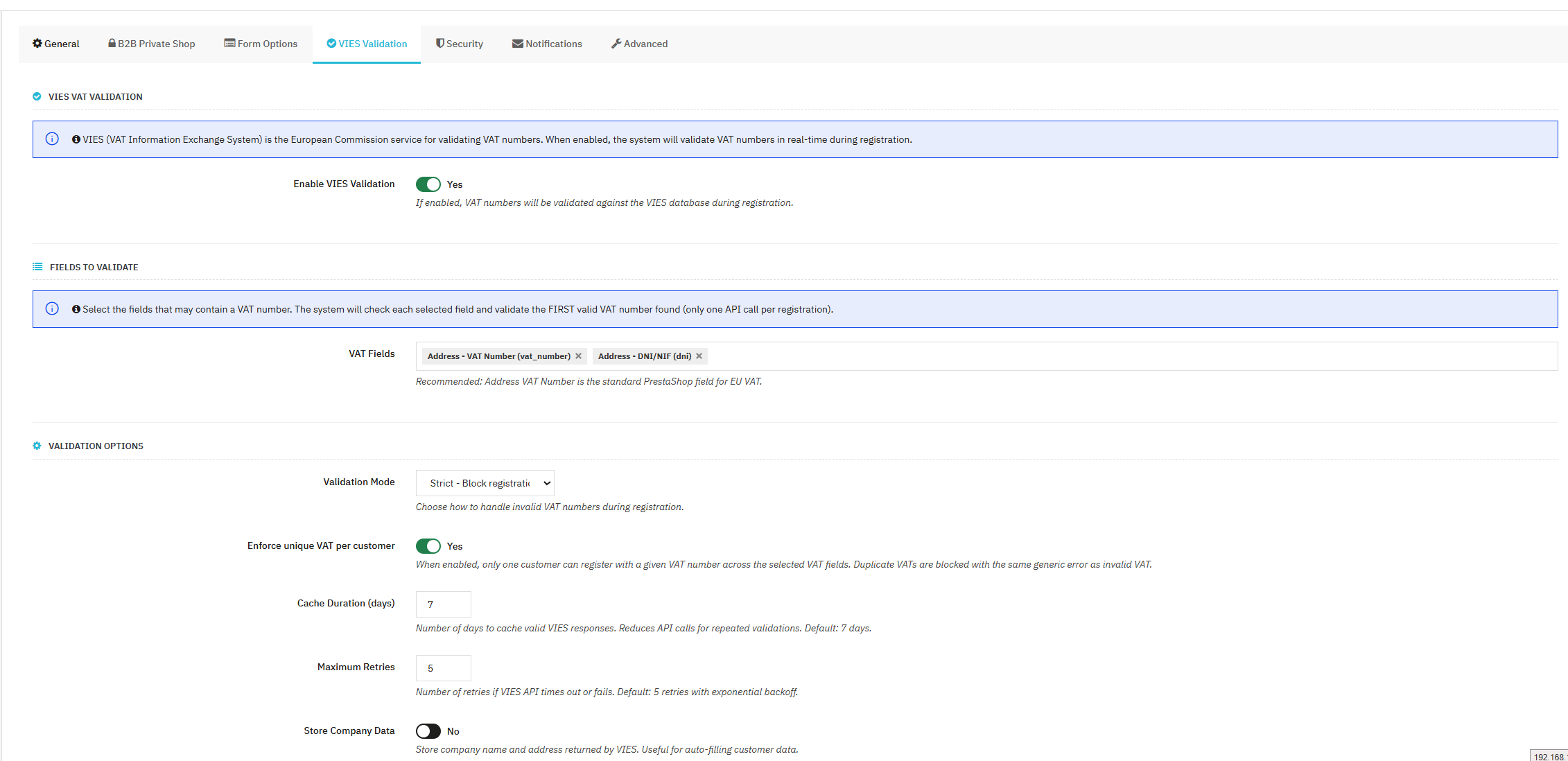
Integrate with the official EU VIES database to validate VAT numbers in real-time during registration, ensuring only legitimate businesses can register.
Block registration if VAT is invalid. Best for B2B-only stores where VAT validation is mandatory.
Show warning but allow registration. Good for mixed B2B/B2C with optional VAT.
Validate silently and log results. Perfect for testing or data collection without blocking users.
Automatically apply 0% VAT for validated B2B customers from other EU countries.
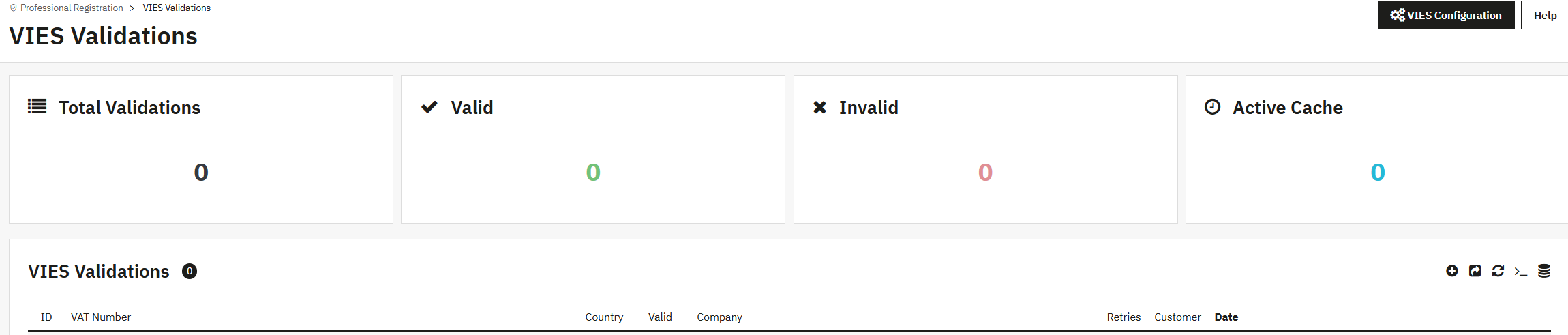
Track all VIES validations with detailed logs including timestamps, results, and company data retrieved.
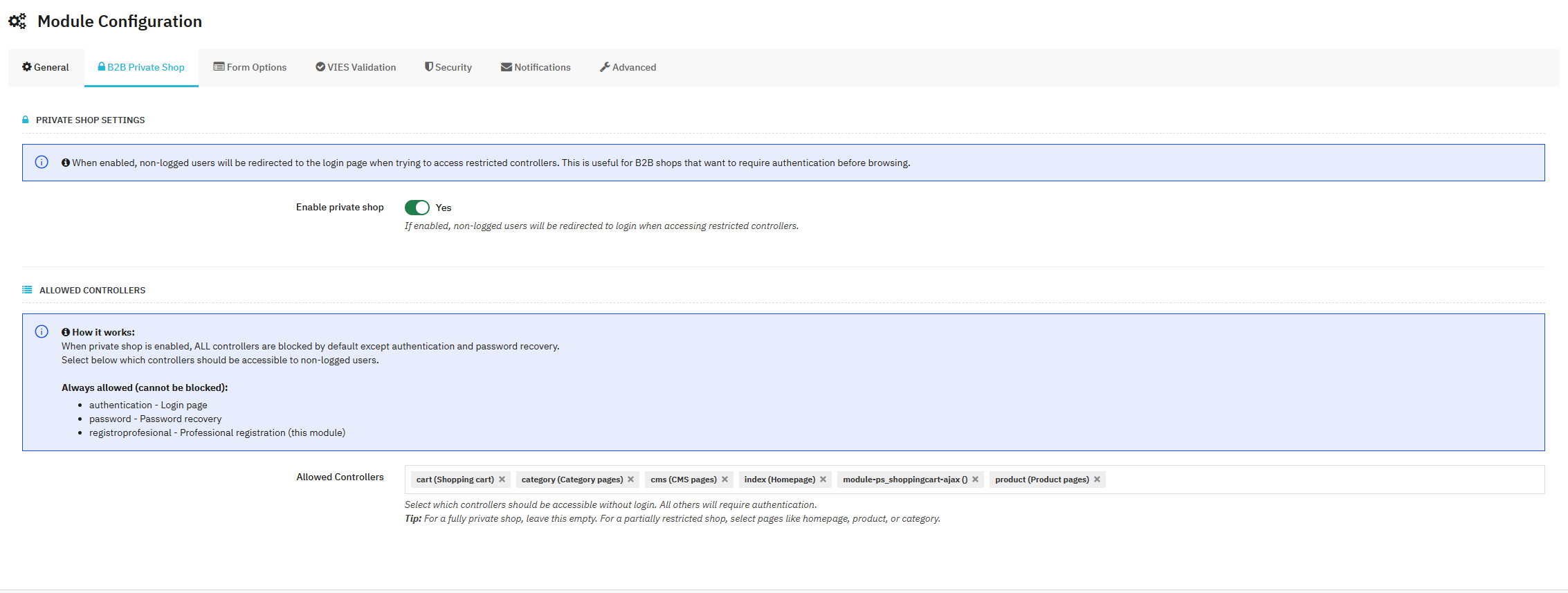
Transform your shop into a private B2B platform where non-logged users cannot browse products, see prices, or access specific pages until they register and log in.
Configuration: Enable private shop, leave allowed controllers empty
Result: Only logged B2B customers can browse products and see prices. Perfect for wholesale distributors.
Configuration: Allow homepage, category pages, and CMS pages. Block product details and cart.
Result: Visitors can browse categories but must log in to see product details and prices. Great for B2B with lead generation.
Configuration: Allow all pages except cart and checkout
Result: Visitors can browse products but must register to purchase. Ideal for gated pricing strategies.
The module automatically detects:
These cannot be blocked:
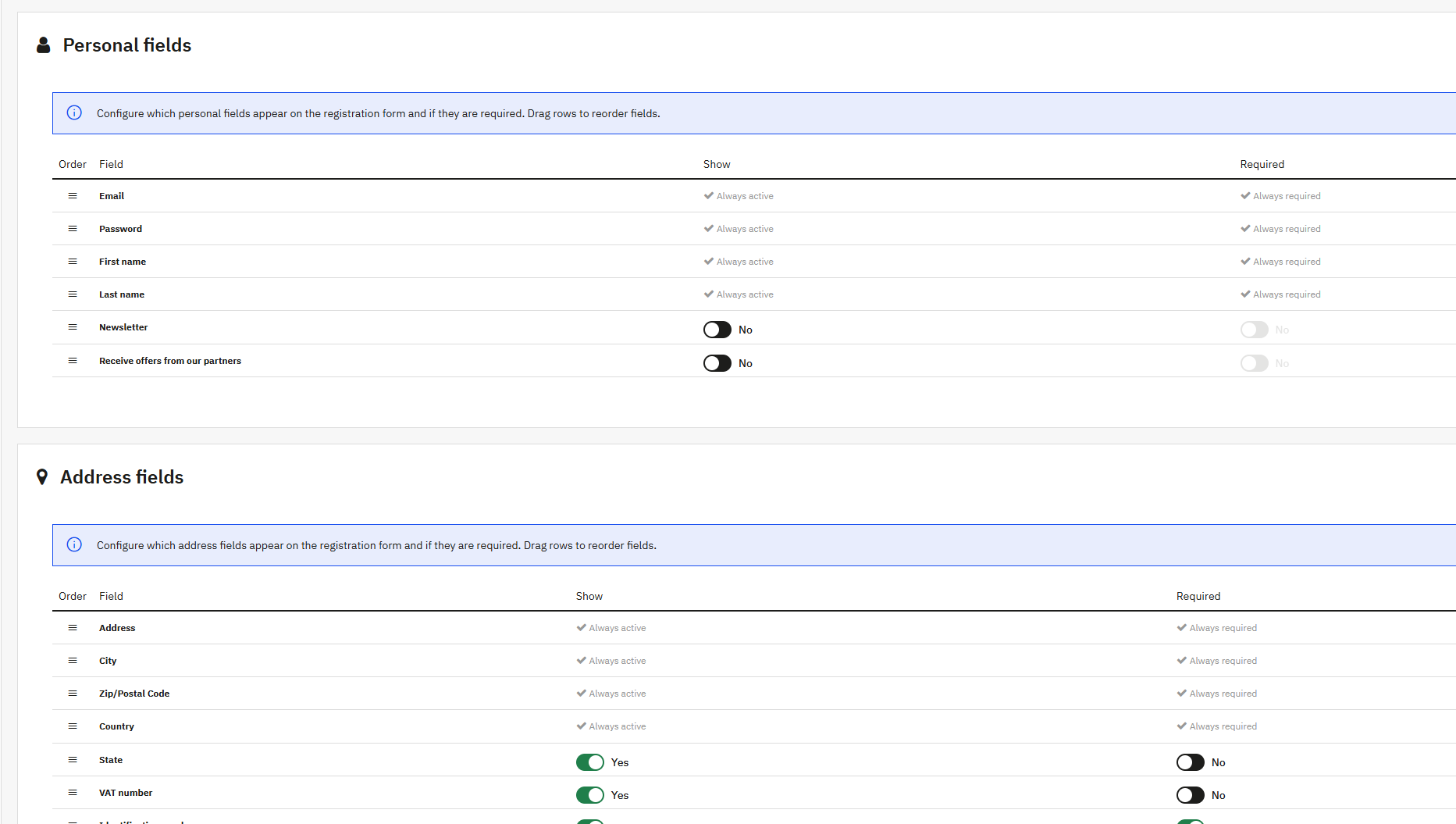
Configure every aspect of your registration form with drag-and-drop reordering, show/hide controls, and required field settings.
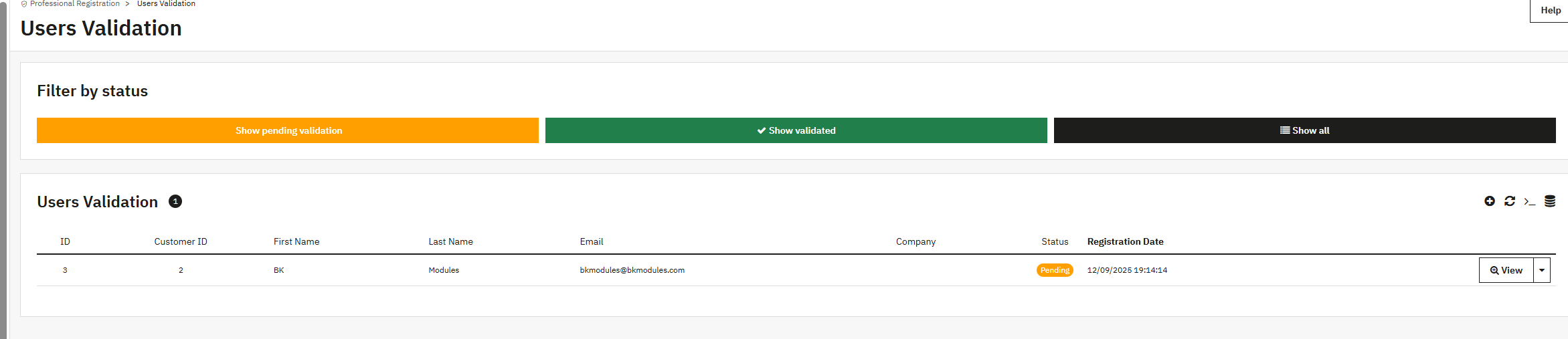
Manage all professional registrations from a centralized admin panel with validation controls, customer information, and group assignment.
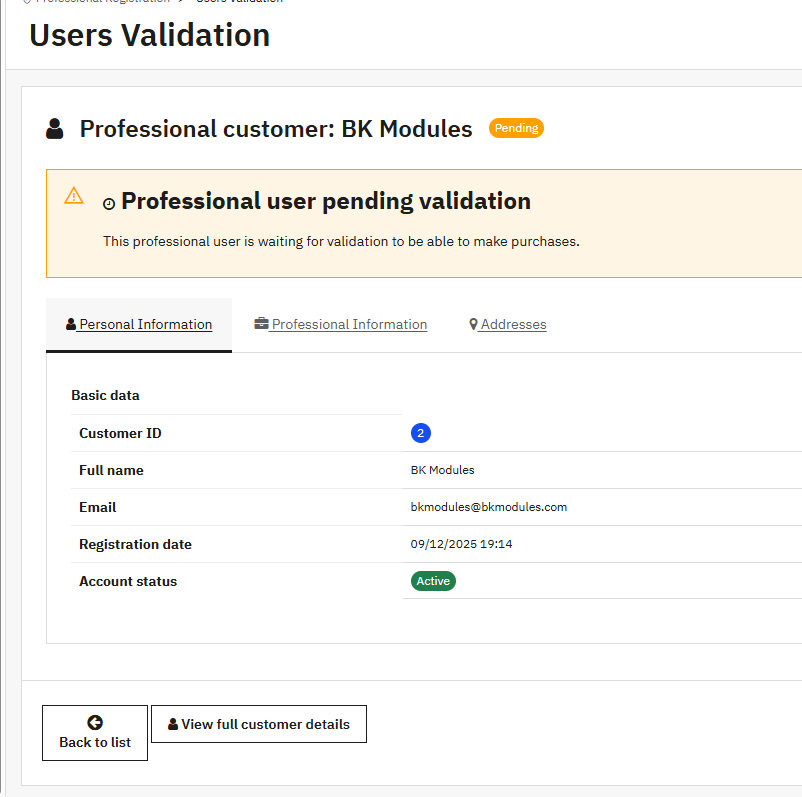
Professional customer information is integrated directly into PrestaShop's customer view:
Receive emails when new professional customers register. Configure multiple admin emails for notifications.
Customers receive confirmation emails upon registration and validation with customizable templates.
Protect your registration forms with reCAPTCHA v2 (checkbox) or v3 (invisible) to prevent bot registrations and spam.
Automatically assign validated professional customers to specific PrestaShop groups for targeted pricing, discounts, and catalog restrictions.
Customize colors to match your brand with an intuitive color picker for buttons, titles, and form elements.
Full support for all PrestaShop languages with easy translation management and RTL support.
Registration forms and admin panels work perfectly on desktop, tablet, and mobile devices with touch-optimized controls.
Works with all PrestaShop themes including Classic, Warehouse, and custom themes with CSS selector configuration.
Detailed logging system for troubleshooting VIES validations, registrations, and private shop redirects.
Configure Terms & Conditions and Privacy Policy CMS pages to show during registration with acceptance checkboxes.
Real-world applications where this module shines
Require manual validation of all B2B customers, enable private shop mode, validate VAT numbers, and apply automatic intra-community tax exemptions.
Hide prices from non-registered users, validate distributor credentials, assign different customer groups based on region or business type.
Strict VIES validation, custom fields for business certifications, automated group assignment for approved traders, private catalog access.
Separate registration flows, optional VAT validation, auto-activate B2C while manually reviewing B2B, different pricing tiers per group.
VIES validation for all EU customers, automatic VAT exemption for intra-community sales, comply with EU VAT regulations automatically.
Require professional credentials verification, collect industry-specific information with custom fields, restrict access to certified professionals only.